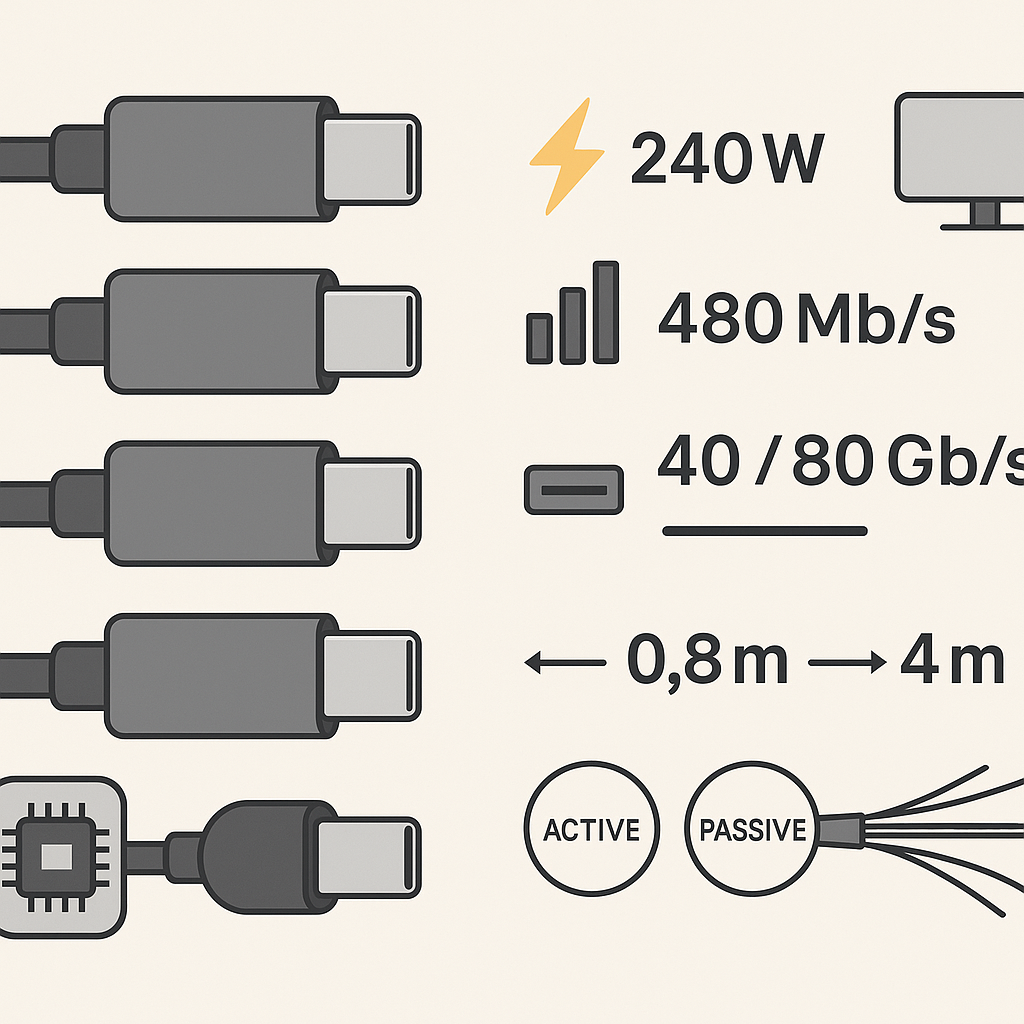
USB-C cables look identical — their performance doesn’t
As USB-C becomes ubiquitous in professional environments, understanding cable capabilities is essential for IT and business leaders. Two cables can share the same connector yet behave very differently for power, data and displays. Here’s how to buy the right one — and avoid boardroom surprises.
The real-world gotcha
Apple’s two-metre, 240-watt USB-C charge cable is excellent for charging but limited to USB 2 data (~480 Mb/s) and does not carry video. If you expected fast file transfers or a display signal, this cable won’t deliver. That mismatch — identical look, different wiring — is the core problem to solve.
Thunderbolt isn’t one thing
Thunderbolt uses the same USB-C connector but is a separate protocol with guaranteed performance standards. Thunderbolt 3, 4 and 5 all use the USB-C connector but guarantee different capabilities.
Thunderbolt 4 (TB4): standardizes 40 Gb/s, mandates support for dual 4K or single 8K displays, and maintains full speed with certified cables up to two metres (typically active at that length).
Thunderbolt 5 (TB5): increases bandwidth to 80 Gb/s (up to 120 Gb/s one-way with Bandwidth Boost) and remains compatible with USB Power Delivery up to 240 W. Actual results still depend on the cable you use.
Bottom line: a short passive TB4/USB4 cable (≈0.8 metres) can hit 40 Gb/s; longer runs usually need an active cable to hold that speed.
Why some cables won’t light up a display
Video travels over DisplayPort Alt Mode or Thunderbolt lanes. Charge-only or USB-2-only cables often lack the high-speed pairs required for displays. The laptop charges; the projector stays dark. If a spec sheet doesn’t explicitly mention display support, assume it doesn’t have it.
Length matters more than you think
Signals weaken with distance, especially at higher data rates.
- USB 2.0 (480 Mb/s): about five metres passive
- USB4/TB at 40 Gb/s: typically ≤0.8 metres passive; for two metres you generally need an active TB4 cable
- Beyond two metres: expect active copper or active-optical (fibre-optic) solutions if you want full speed
Exceed the comfortable length for a given spec and devices fall back to lower speeds — or fail to connect.
The e-marker chip: the cable’s resume
An e-marker is a tiny controller chip inside the connector. It communicates the cable’s capabilities to connected devices: current capacity, data rate and alt-modes.
- Required for five-amp (up to 240 W) USB-C cables
- Present on USB4/Thunderbolt high-speed cables
- Some premium designs place an e-marker in each end and add thermistors for over-temperature protection, improving reliability in mission-critical setups
Active vs. passive cables
Passive: no signal conditioning; best for short runs and lower cost.
Active: includes built-in retimers to preserve signal integrity at length and speed (for example, maintaining 40 Gb/s at two metres on TB4). Some active cables are directional; check the markings.
Fibre-optic USB-C (when to spend more)
Active-optical cables convert high-speed lanes to light for longer runs and strong EMI immunity.
- Typical USB4/TB optical offerings today: 40 Gb/s at 3–4.5 metres
- Power delivery can drop with distance (for example, 240 W at three metres, 60 W at 4.5 metres, depending on the model)
Use them for boardrooms, studio runs and racks where copper struggles — and budget accordingly. For very long distances (tens of metres), niche Thunderbolt-over-optical solutions exist, but they often restrict or omit power pass-through. Plan to power endpoints locally.
Fast-charging the iPhone 17 (what matters)
The iPhone 17 series supports USB PD 3.2 SPR AVS, enabling finer-grained voltage control and efficient fast charge. Reported performance: up to 50 per cent in about 20 minutes with Apple’s 40-watt adapter. A quality USB-C to USB-C cable is required; five-amp capability isn’t necessary for a phone, but it won’t hurt and may future-proof your kit.
Executive buying checklist
Define the job first:
- High-watt charging (laptop/phone)
- High-speed data (40–80 Gb/s)
- External display (4K/8K, single or dual)
Read the spec sheet, not the connector: Look for USB4/TB version, rated Gb/s, explicit display support, and power (watts/amps). For 240 W, the cable must be five-amp e-marked.
Match length to performance: Short passive for peak speed; active (or optical) as you stretch.
Prefer certification: Choose USB-IF and Intel Thunderbolt-certified cables from reputable brands.
One cable for your professional kit
Keep a short, certified Thunderbolt 4 cable in your bag. It’s backward-compatible with most USB-C devices, handles displays and high-speed data transfers, and prevents the “looks right, works wrong” moment seconds before your presentation.