
Apple says Google Now violates its patents
Rogers' US Roaming versus Roam Mobility
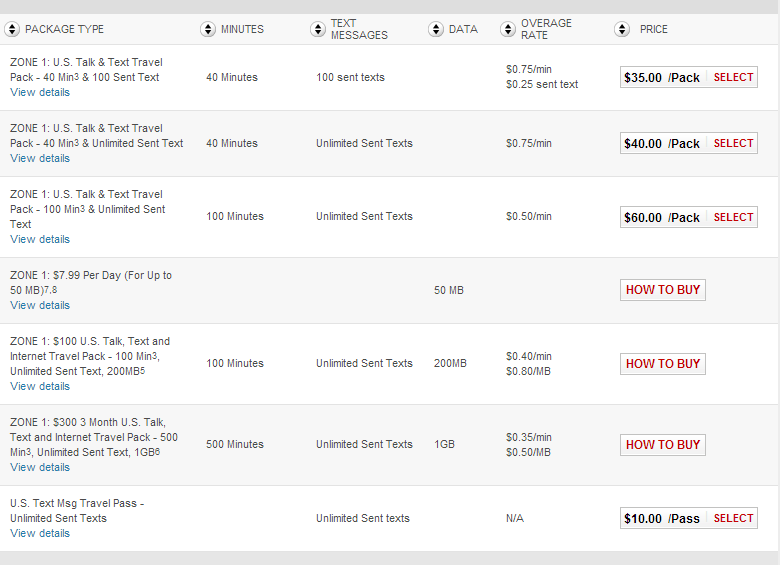
On May 14th, I wrote a blog post about a new US roaming package Rogers started offering its customers ($7.99 per day for 50MB of data).
As the summer holidays get ever closer, it is interesting to see Rogers spice up their roaming plans. In addition to the plans, Rogers now has text alerting to notify you of roaming data spending in the hope of preventing sticker shock.
Anytime you are travelling abroad, you really should look at using Onavo to compress your 3G/4G traffic, this will:
- cause you to use less data (cheaper)
- make data transfers faster (better user experience especially on slower networks).
Even with the above plans, Rogers is still way more expensive than what you can get from Roam Mobility for US trips. My advice for Canadians travelling south is to unlock their smartphones (through their carrier) , use one of Roam Mobilities US plans and install Onavo. This will be the cheapest and best experience.
Amazon Cloud Drive available to Canadians
I will not be moving my online storage to Amazon because I am already invested in Google Drive and Bitcasa (although Bitcasa has become a real pain with a slow crashing client that hangs my entire Windows 8 PC).
There are lots of competitors entering the online storage business but none are as elegant and functional as Dropbox. If only Dropbox would get more competitive with its pricing I may be tempted to buy a Pro account.
Share files of any size from a Mac for free
There are hundreds of free file sharing services littering the web but there is a new service [for Apple computers only right now] called Minbox that may be worth a second look.
Benefit 1 - No wait sharing
The issue with every other service is that they force your upload to complete before allowing you to send it to someone. Minbox allows you to configure the sharing info while the file upload which means you can get back to work while Minbox continues its magic in the background.
Benefit 2 - Faster Uploads
In addition to the share while uploading functionality, they claim to use secret compression technologies to make the upload twice as fast as its main competitors (cough.... Dropbox... Cough... Cough).
Benefit 3 - Files of any size
The service allows you to share files of any size. All uploaded files are kept on their services for 30 days (after which it is automatically deleted).
Benefit 4 - So much more
The service is well thought out and allows:
- simultaneous uploads
- converts raw to JPG automatically
- creates a photo gallery if you upload multiple images in the same stream
Premium Option
They offer a premium version with unlimited file storage, better encryption but the free version should meet the needs of 90% of its users.
They are currently polling their users about other platforms the service should be made available on.
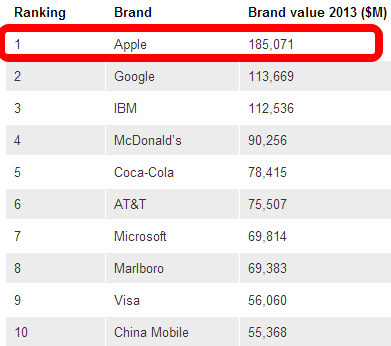
Apple the most valuable company in the world
Nokia offers free music to Windows Phone owners in Canada
Nokia music offers 18 million commercial free songs, doesn't require sign-up and works offline (after synching).
You can always pay $3.99/month and upgrade to their premium package which offers unlimited song skipping and higher quality streaming.

The CBC chooses Google Apps over Microsoft 365

The CBC is Canada's public broadcaster and offers an array of TV, radio , internet and mobile device oriented content in English, French and 8 aboriginal languages.
Like most private companies, they are constantly trying to stretch every dollar and deliver the best bang for every buck. They evaluated the 2 major offerings :
- Google Apps
- Microsoft 365
They wanted an easy to deploy solution that offered flexible pricing, real-time collaboration and excellent availability guarantees.
Once the decision was made to go with Google, the CBC leveraged the migration expertise of a Google Apps partner to transition its entire staff within 90 days. During deployment, they realized that many of their employees were already using Google's GMAIL service for their personal communications so training was minimal.
It was interesting to read how moving to Google Apps also changed their corporate communication culture. Instead of discussing issues via conference call (which is more impersonal and costly), their employees started to use the video chat features of Google Hangouts (which is accessible from anywhere and from almost any device).
The CBC also liked the real-time communication features of Google Docs that are built into the product. A globally distributed team can collaborate on a single version of each document making the process simpler and more efficient.
The rivals (Microsoft and Google) are really turning up the heat and competition is becoming fierce. More competition means consumers win with better pricing, more highly refined features and companies thinking about improving the user experience.
Google asking users to validate telephone numbers?
When searching for a telephone number on my smartphone, I head straight to Google and enter the name of the establishment.
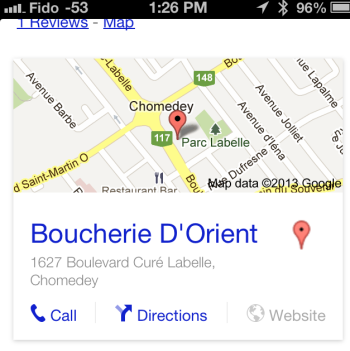
I then clicked on the Call button and was presented with an interesting new dialog box (which I saw once the call was completed and I was returned back to Safari Mobile).
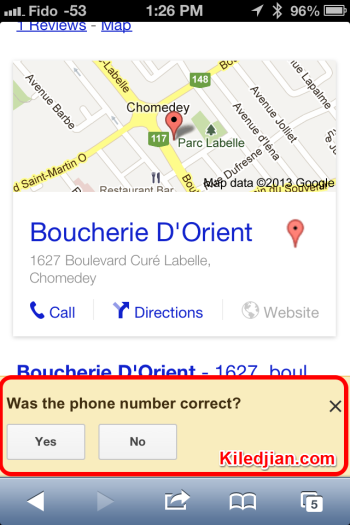
Google was asking me to validate the number it had provided.
I tried to reproduce this dialog box by clicking the call button (for the same establishment and some others in the area) but it never reappeared.
Maybe the number was flagged as wrong by someone? Maybe Google periodically checks the validity of all numbers? Have you ever seen this before?
Slic-Sound Earbud Enhancers Review
I use In Ear Monitors (aka headphones) 95% of the time so I rarely test products made for typical button style earbuds (think the old Apple earbuds.) A couple of readers wanted me to review the Slic-Sound product so here it is.
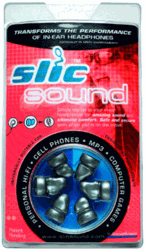
The manufacturer claims these enhancers will:
- help you hear better by sending the music deeper into your ear canal
- help keep the earbuds in place by going deeper into your ear canal
- help make your earbuds more comfortable because they will be held in place by soft silicone
So are any of these claims true? Read on...
The test
For testing purposes, I used a pair and distributed 4 other [pairs] to "normal" users.
Fit
The first complaint many had was related to fit. many could not find a silicone insert that fit properly thus making it feel too tight and muffling the sound or too loose and falling out. My pair fit fairly well and the silicone inserts kept my earbuds in place even when I was jogging.
rating 3/5
Improved sound quality
For those who could not find the "right" size, the sound quality was severly degraded.
Those that found the right size mentioned a slight improvement in bass and a small improvement in clarity. This echoed my own experience. This doesn't convert a $2 pair of earbuds into $100 perfomance speakers but it did offer a very slight improvement in sound quality.
It did not block out external sound.
rating 2/5
Improved comfort
The silicone is soft and comfortable. When the size was right, it also held the earbud in place fairly well.
These were nowhere as comfortable as Comply foam earphone tips but were more comfortable than using the naked earbuds.
rating 4/5
Conclusion
I love trying audio gear and accessories so I was excited to try these. Unfortunatly many in my small test group experienced fit issues which rendered the tips useless. In the rare case where it did fit properly, it offered a very very small improvement in sound quality and didn't block out external sounds.
Overall I think this product is a pass. Better to spend money on better earbuds than on accessories like this.
Pictures
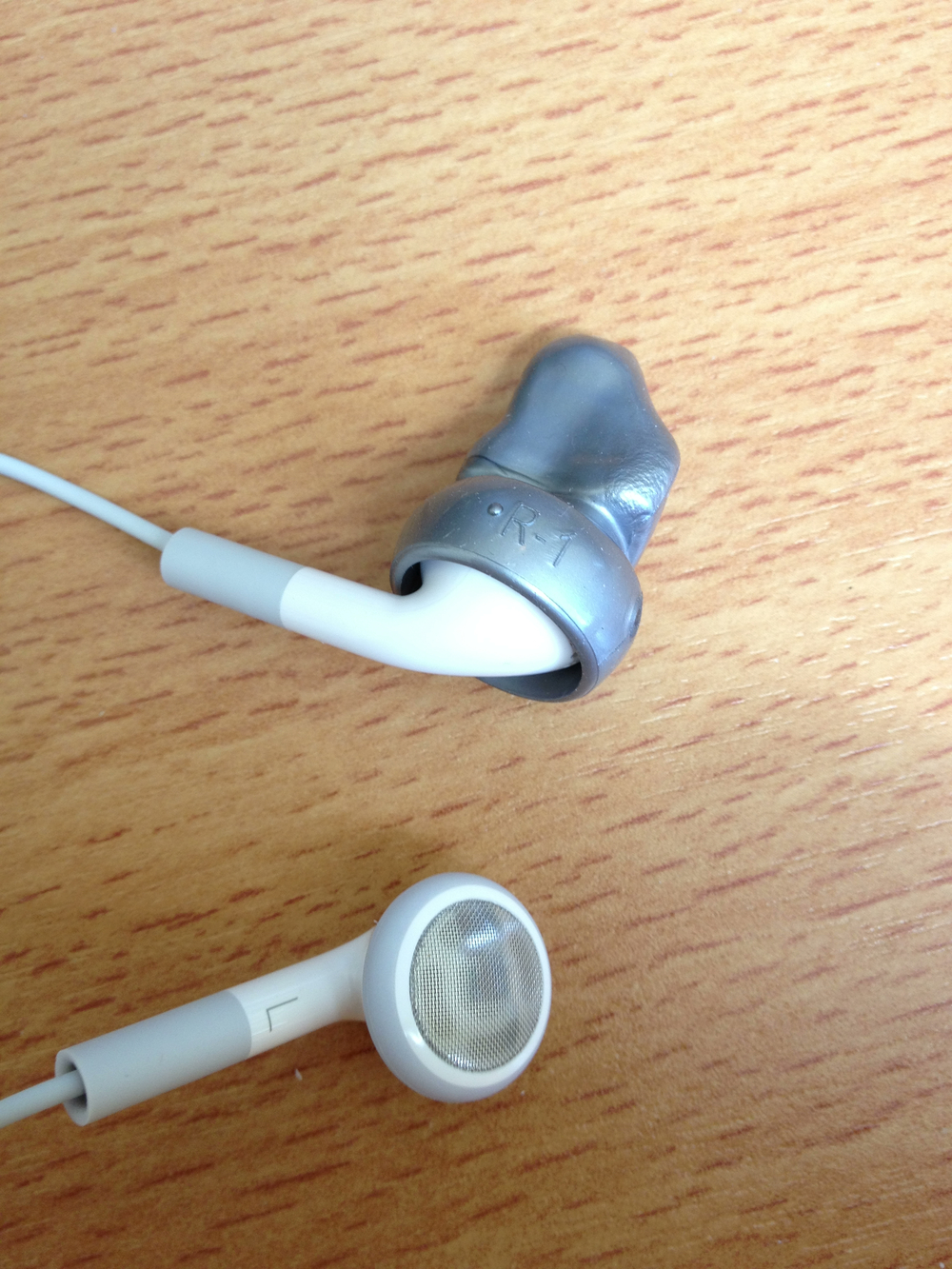
This is what one of the earbud tips looks like.
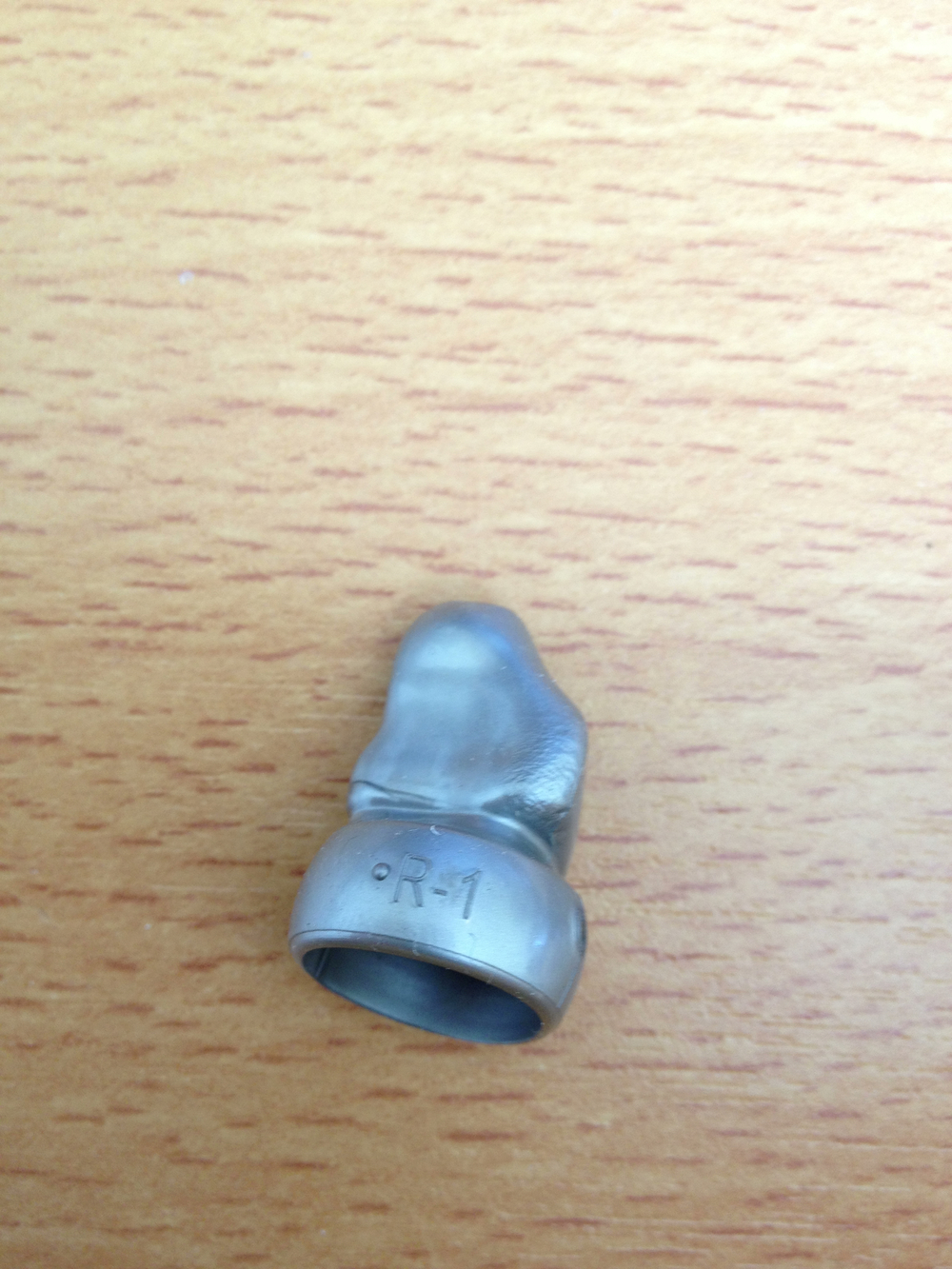
Here is the tip installed on standard Apple earbuds
N.O.V.A. 3 - Now FREE On IOS


Gangstar Rio: City of Saints - Now FREE on IOS
Gangstar Rio is now free on the iTunes AppStore.


In the game, you are a gangster that has to complete 60 missions. Missions include killing corrupt politiians, stealing cars, etc.
Nokia windowsphone with 41 megapixel coming?
Bitcasa Windows Update 1.1 review

The latest version seems to have a memory handling issue which severely impacts PC performance. On a Win8 machine, it is consuming 700-800 mb of RAM and brings the system to a halt.
I have opened a support ticket.
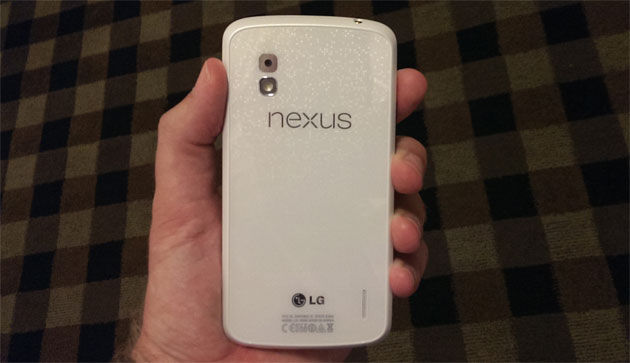
White Nexus 4 and Android 4.3 launching June 10
What online scams would look like in the real world
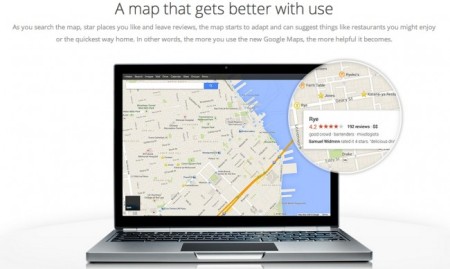
A cleaner, faster and more personalized Google Maps is coming
"tailored map for every search"
Best Business Card OCR App For The IPhone
As a leader in a multinational organization, I meet dozens of people every week and need a way to easily (and reliably) capture their contact information and make it available anytime/anywhere I need it. There are dozens of Business Card OCR apps in the Apple itunes AppStore but most have one fatal flaw, they rely on technology to recognize the information on the business card which means you will have to manually correct all of the transcription errors.
Human transcription is better
Enter the wonderful world of manually transcribed business cards provided for free by CardMunch. The app is very simple to use, you snap a picture of the business card (making sure it is legible) then it uploads the image to a magic fairy world (aka Amazon's Mechanical turk service) where the card information is transcribed by a human for you. There is a delay between the time you snap the image to when the transcription is done. The wait is usually between 15 minutes and a couple of hours.
When the app was just purchased by LinkedIn, I had some transcription quality issues (info not being transcribed or info being wrongly transcribed) but since then, LinkedIn has really improved the quality and I now very rarely have to "resubmit" a card for transcription. If the transcription isn't up to your standards, you have a nice resubmit button to have the work redone.
Free as a bird
When the app was first released many years ago, customers had to buy transcription packs (you paid per transcription) but since the product was acquired by LinkedIn, they have made the entire service free.
The "catch" is that you need a LinkedIn account (which is free itself).
Value added LinkedIn Information
Other Options of note
You can configure the app to autosave all recognized cards to your iPhone's address book ( latest version of the app seems to have removed this option) and you can export a contact's information to VCF (which make importing into outlook super easy).
Verdict
Good : The app is easy to use, free and offers very accurate business card transcription.
Bad: One drawback is that the human transcription can sometimes take an hour or more. After the last update, they removed the ability to autosave contacts to the iPhone's address book. After the last update, sending LinkedIn invitations to transcribed contacts often fails. Hopefully they will fix these issue with the next update.
Overall I use this app very often and highly recommend it.
Images
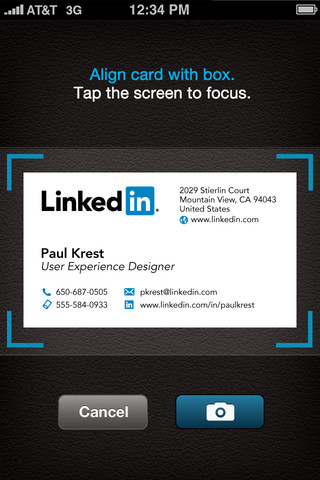
Below you see the card scanning interface.
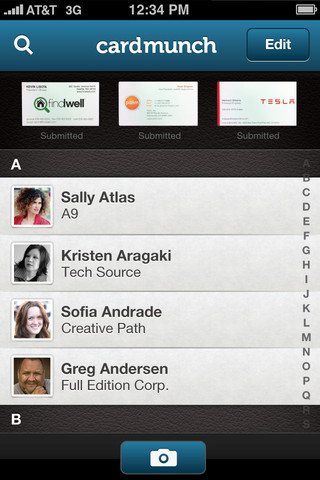
The below image shows the main app interface. On the top you see images of scanned cards waiting to be transcribed and below you see all the contact you have had transcribed with the app.
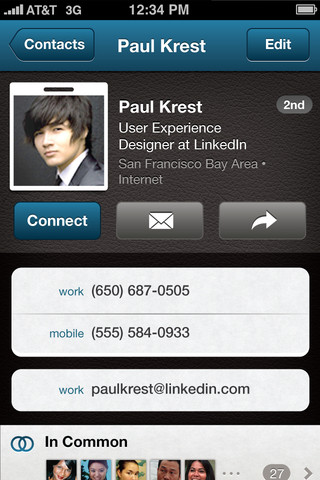
The below image shows the contact information collected from Linkedin (public or if you are already connected to the person) and transcribed from the persons business card.
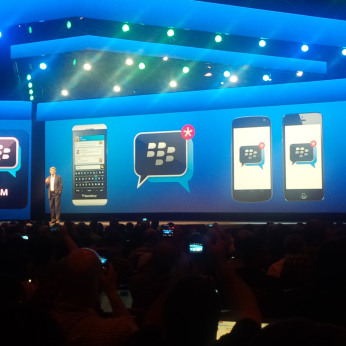
Blackberry Chat (BBM) coming to IOS and Android
Roam Mobility offers competitive US roaming for Canadians
What's so special about Roam Mobility
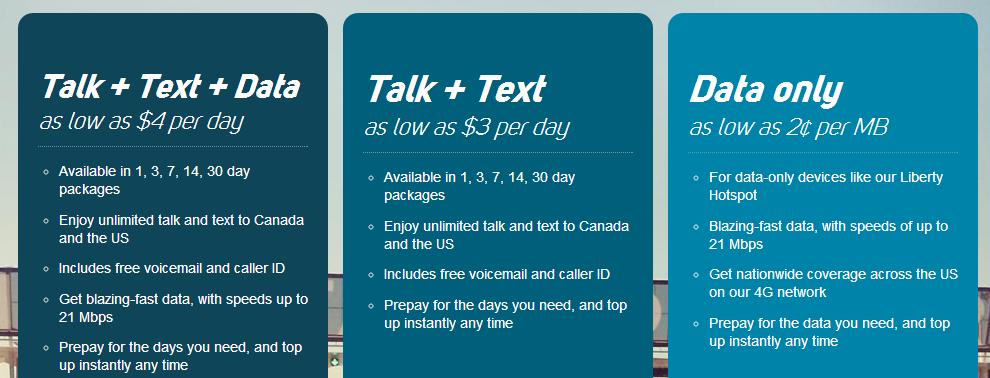
Comparing the package
- Roam Mobility 1GB US data only roaming for $39.95 for 30 days ($0.04 per MB).
- Roam Mobility 2GB US data only roaming for $59.95 for 30 days ($0.03 per MB).
- Roam Mobility 5GB US data only roaming for $99.95 for 30 days ($0.02 per MB).
Talk + Text + Data
- Unlimited talk and text within the US and back to Canada
- Free voicemail and caller ID
Each package comes with a predetermined amount of data. As an example the 7 day package comes with 700MB of data and costs an affordable $27.95.
Read this page to figure out what kind of speeds you can expect based on your device.
How do I get started
To get started, you need to buy a Roam Mobility SIM card. You can purchase one online from their website or through one of 400 locations accross the country (which is the fastest option). Major Canadian retailers you may want to check out:
- Futureshop
- Shaw
- Many London Drugs locations in Western Canada.
Real World test
Check out their coverage map here.