
iDoorCam is a WIFI enabled doorbell
When you think about doorbells, does WIFI come to mind? iDoorBell hopes so because they released a WIFI enabled one that allows you to see who is knocking (or ringing) even if your're not at home.
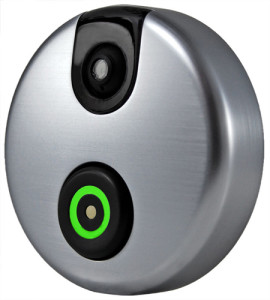
The device includes a camera (of course), a microphone and speaker. When someone rings the bell, you receive a notification on your smartphone where you can see and discuss with the visitor. It doesn't unlock your door yet and costs $165.
You can pre-order now for October delivery on IndieGoGo.
New (2013) Nexus 7 now available in Canada
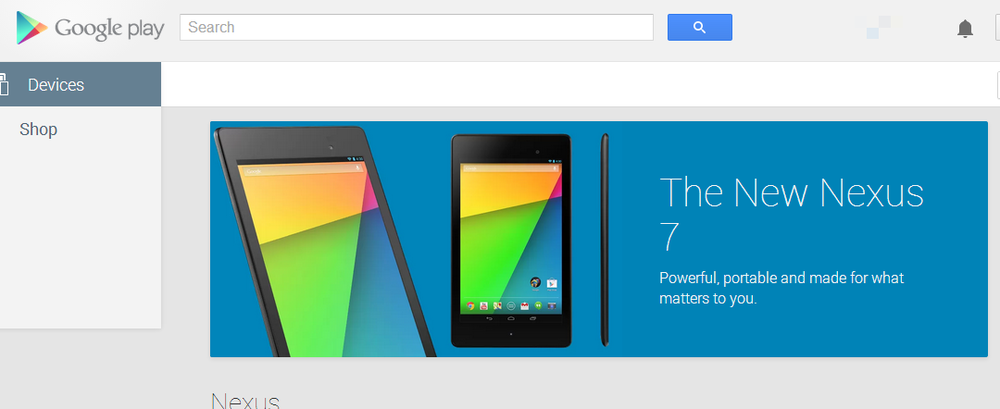
New (2013) Google Nexus 7 now available in Canada via the Google Play Store. The device is also available at Best Buy/Futureshop, Staples, Bureau En Gros and many other online retailers. The availability announcement was made on Twitter
For those in Canada, the next generation @Nexus 7 can now be yours: http://t.co/JBfO2nnVoF
— Google Play (@GooglePlay) August 13, 2013
This sleek new Nexus can be yours for:
- 16GB is $229CDN
- 32GB is $269CDN
All GMAIL users to get redesigned compose window
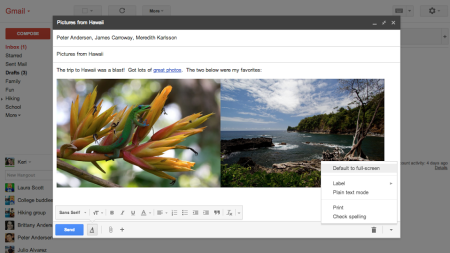
Google let it be known (on its Google+ page of course) that henceforth it shall roll out its redesigned compose window to all Gmail users. This new design makes it posible to compose multiple messages at once and multi-task more easily.
Although this was rolled out in March, users were allowed to opt-out and go back to the old full screen compose window. This will no longer be an option.
New iPhones may be announced September 10
Windows 8.1 coming in October
I'm really disappointed that Microsoft is implementing an artificial delay to the much anticipated update.
Real World testing and Review of the Roam Mobility Service
What is Roam Mobility?
- Voice and SMS service
- Voice, SMS and Data service
- Data only service
What I used with Roam Mobility
Before Travelling
Testing their customer service
Support was fantastic (fast, easy and painless).
Quality of Roam Mobility Service
Roam uses T-Mobile so the quality of service really depends on your device and the availability of T-Mobile Service.
The first issues is the fact that T-Mobile uses different bands than most Canadian carriers but they are adding 3G service to"our standard bands" and I saw this while in Orlando. Since my device does not support the AWS bands, my speed was highly dependent on using a T-Mobile tower with upgraded 3G service and it worked fairly well. In most Orlando locations (all touristic) I was connected with 3G which meant I had acceptable data speeds. Compared to Rogers or Fido, it was about 30-40% slower but still very usable. I was able to browse the web, use Google Maps navigation, use social media and check emails.
Even though my hotel offered free WIFI, it was so unbearably slow I kept my device on Roam's 3G service. Roam's 3G service was much faster than the hotel's free WIFI
The minute I left the main touristic areas, I started using the non-upgraded T-Mobile towers and had 2G (Edge) speeds. Edge means I was connected and able to use services light internet services that support higher latency (browsing, emails and iMessage) but services like Facetime, Google Maps (etc) were unusable. Even when in Cocoa Beach, the T-Mobile service was 2G Edge based.
Had I bought the Roam Mobility WIFI Hotpot device or used an AWS compatible device (some new iPhone 5s and some Android devices), I would have had a bigger 3G coverage zone.
The Cost
You can buy a 1 week voice, text and data plan for $27.95 which includes:
- Unlimited talk and text within the US and back to Canada
- Free voicemail and caller ID
- 700MB of data
- No risk of over-spending
You can buy 50MB a day for $8 from Rogers or Fido. For 7 days, I could have spent $56 for only 350 MB. Needless to say the
Roam Mobility offer is much better [compared to Rogers and Fido] because it's cheaper and offers calling, text messaging and much more data.
Cons
One shortcoming of the Roam Mobility service was the fact that they do not currently offer a way to check your data usage (I had 100MB a day). I emailed support who quickly provided the information but I wish they offered an app that more easily provides usage information and allows you to top-up or buy additional services.
I was told by support that they are working on a mechanism to provide this information to users in a more automated and timely manner.
Rumors
Everything in this "Rumors" section is pure speculation and nothing has been confirmed by the company. The current rumor is that Roam is in talks with other network operators [in other countries] to build the same type of roaming service for other countries (likely Europe and Asia).
I would welcome this and hope this rumor is true.
Verdict
Overall I really liked the Roam Mobility service and recommend every Canadian travelling to the US use it [as long as T-Mobile offers coverage at your destination].
You can check T-Mobile coverage on their website or by reading the dozens of user forums talking about T-MO coverage. During my next trip, I may buy the WIFI Hotspot and test it out.
Considering the amount of data I used and the cost from FIDO, I saved close to $500 dollars by using the Roam Mobility service instead of paying my carriers US roaming fees.
You could go to the US and buy a prepaid SIM there but its so much easier to deal with all of this before you leave.
Related Articles:
Watch the Nexus 7, Chromecast and Android 4.3 event
If you mised yesterday's "Breakfast with Sundar" event which launched the Chromecast, the new Nexus 7 and Android 4.3, you can watch it below now.
Enjoy
Updated Google Nexus 10 coming soon
Expect to see new 10-inch Nexus 10 Android tablet (made by @Samsung) in the near future, Google's @sundarpichai tells me
— Amir Efrati (@amir) July 24, 2013
When will the new Google Nexus 7 come to Canada?
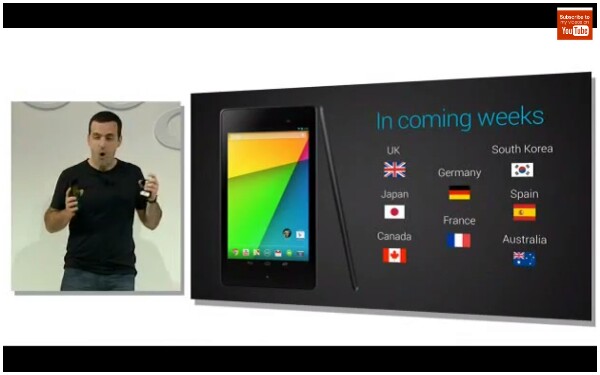
Google hasn't committed to a firm date but we expect it to be available in the great white north in the next month or so.
Typically it is made available in major European and Asian markets slightly after the US launch so England, France, Germany, Japan, South Korea, Autralia, we'll all have to wait just a bit longer.
New Nexus 7 with LTE coming
You may be wondering when an LTE enabled Google Nexus 7 (version 2) will be released and the answer is within the coming weeks (at least for US customers).
The device will work with all 3 of the major US carriers (AT&T, Verizon and T-Mobile) with a single SKU which means they have managed to cram the technology to support all of the different bands into one device. This is great for buyers of the tablet but it also means the next Google Nexus smartphone may come with LTE support (something many have criticized about the existing Nexus 4).
The WIFI only 16GB version will retail for $269 whereas the 32GB version will retail for $269.
The WIFI only Nexus version 2 is about $20 more (per model) than the existing version 1.
The 32GB LTE version is expected to retail for $349, which is a very competitive price.
Google's Chromecast is a $35 HDMI streaming solution
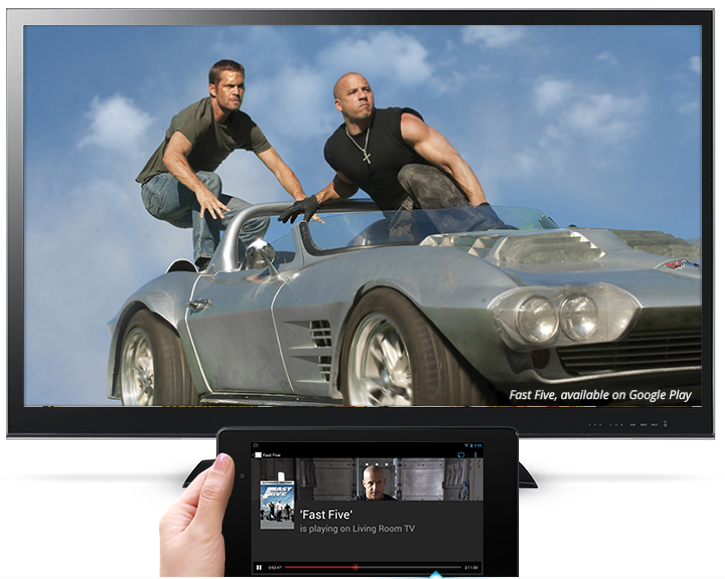
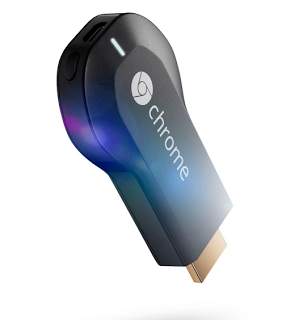
Chromecast works with devices you already own, including Android tablets and smartphones, iPhones®, iPads®, Chrome for Mac® and Chrome for Windows®
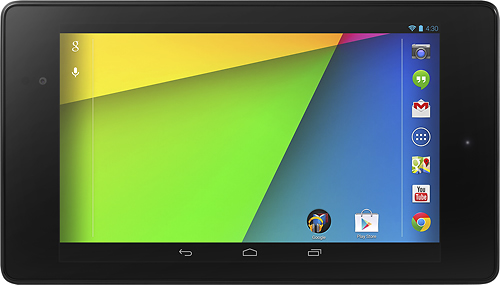
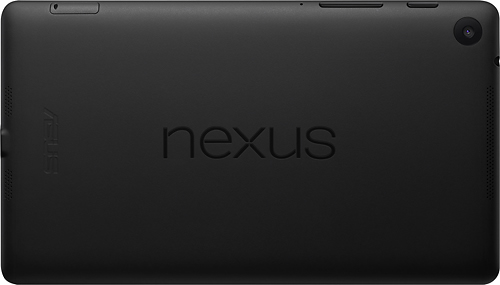
The New Nexus 7 is here - $229 for 16GB
Like other tech lovers, I was excited when I heard rumors that Google would be refreshing its best selling Nexus 7 tablet.
Google will likely announce the new Nexus 7 later today but it seems Best Buy wanted to be first and has the product up for pre-order already. The new Nexus 7 comes in the 16 & 32 GB varieties (WIFI only).
What are the specs? I thought you would never ask:
- 1.5 GHz Qualcomm Snapdragon S4 Pro CPU
- 2GB of RAM
- 7-inch, 1920x1200 display
- 16/32GB of storage
- 1.2MP front-facing canera, 5MP rear camera
- Android 4.3 Jelly Bean OS
- Bluetooth 4.0 support
- Wifi 802.11 a/b/g/n
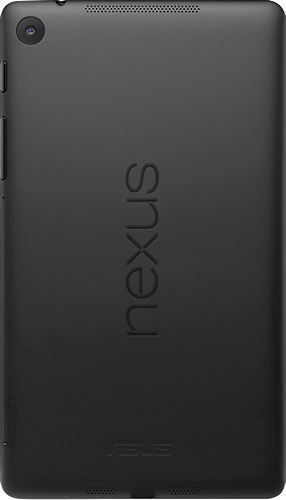
CRTC Wireless Code : Carriers must unlock your smarpthone
The CRTC Wireless Code is a bill of consumer rights that aims to make smartphone contracts more fair and understandable to the average Canadian users.
One of the obligations brought forth by this new code is the obligation to unlock a smartphone at the user's request per these conditions:
- A service provider that provides a locked device to the customer as part of a contract must
- for subsidized devices: unlock the device, or give the customer the means to unlock the device, upon request, at the rate specified by the service provider, no later than 90 calendar days after the contract start date.
- for unsubsidized devices: unlock the device, or give the customer the means to unlock the device, at the rate specified by the service provider, upon request.
Link to the CRTC Wireless Code. Most Canadian carriers have already started to implement the unlock option.
CRTC Wireless Code : $100 Cap on data roaming charges
We hear horror stories of Canadians travelling abroad and coming back with $5000 mobile phone bills. We can certainly sit here and laugh at those people (who should know better), but this is a bigger problem than most people realize.
This is why I am so excited that the CRTC Wireless Code to protect consumers. For this specific issue, here are the new controls your carrier will have to implement:
- A service provider must suspend national and international data roaming charges once they reach $100 within a single monthly billing cycle, unless the customer expressly consents to pay additional charges.
- A service provider must provide this cap at no charge.
Pilot Frixion Erasable Pen
Nothing says hi-tech like a pen but I wanted to let you know about a cool new pen I have been playing with called the Pilot Frixion erasable pen. Unlike other erasable pens, this one actually works very well because of its thermo-sensitive ink that erases clean.
The Frixion series comes in ballpoint and fine point.
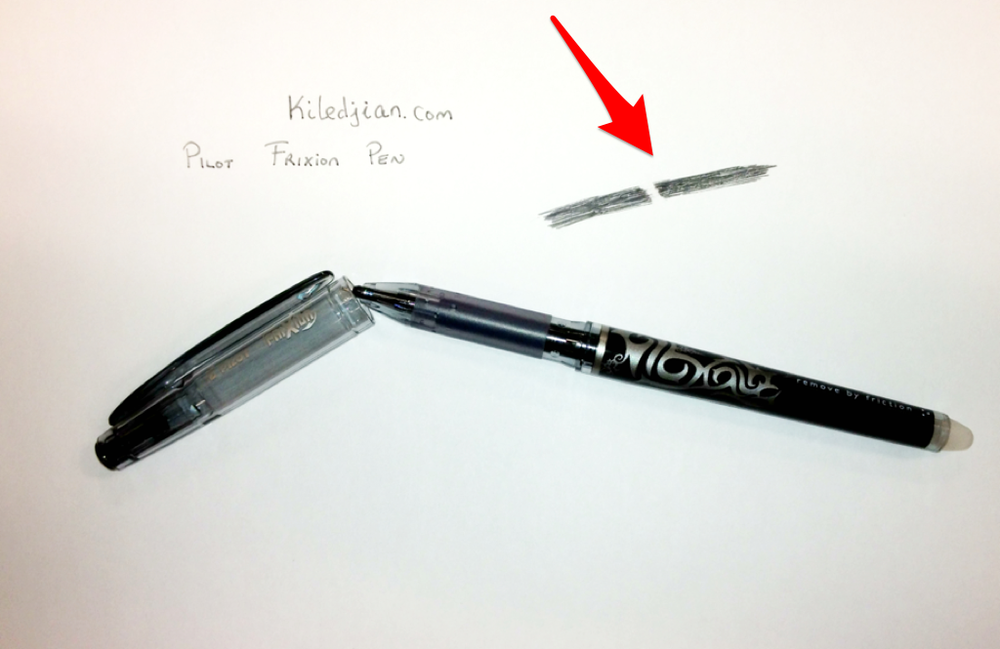
You can see a sample above where I erased a section of my solid line.
What we know about the new Google Nexus 7 Android tablet
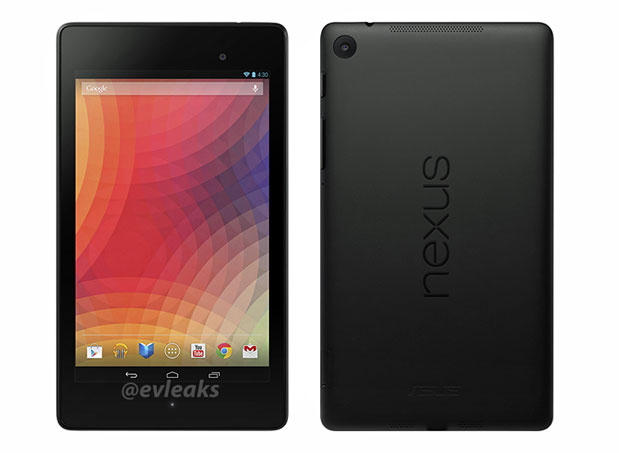
- We expect the new Nexus 7 to launch next week for $US229 for the 16GB version.
- We expect it to have 2 cameras (5MP on the back and 1.2MP on the front)
- A 7" 1920x1080 HD LCD screen
- There will be a WIFI only and WIFI with HSPA+ model
- The device will ship with Android 4.3
Could the next Canon dSLR have 75 megapixels


Nokia says "Something BIG landing here tomorrow"

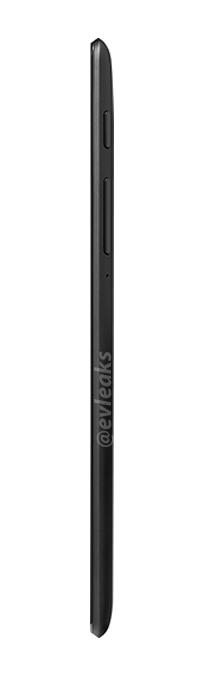
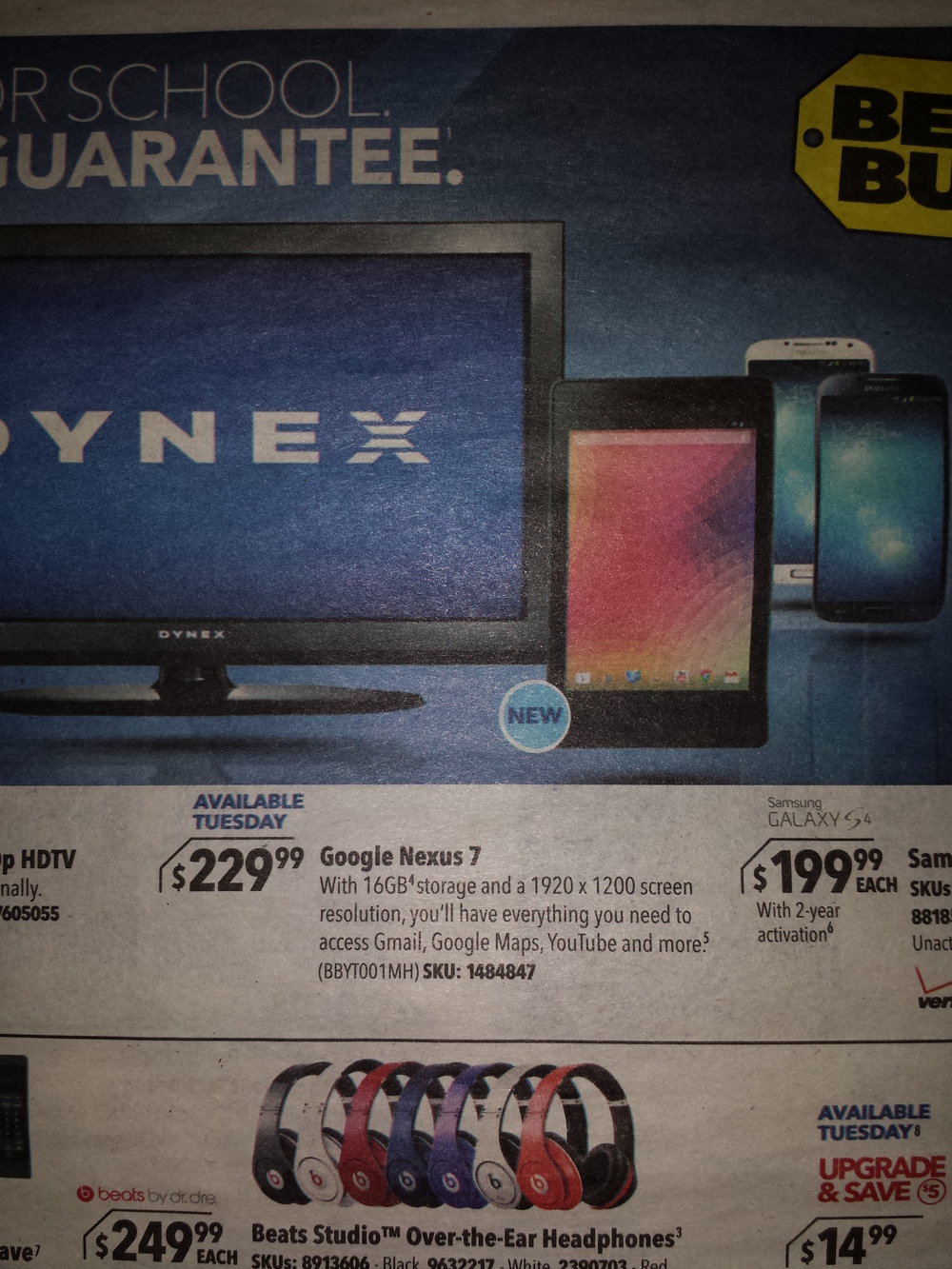
Nexus 7 (v 2) tablet leaks in Best Buy ad
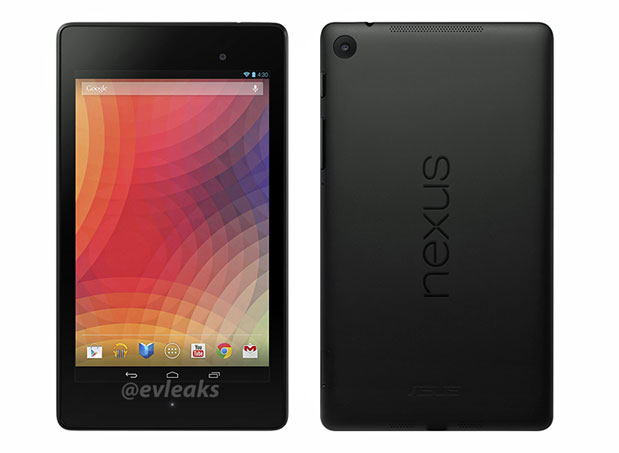
Whoosh is my favorite gadget screen cleaner
If you have read any of my blog posts before, you know that I love gadgets. I love all gadgets big and small, shiny or mate. I do everything to keep my devices as clean as possible. In October 2012, I wrote a blog entry entitled "Stop What You're Doing And Clean Your Smartphone" where I explain that
Mobile phones are excellent peatry dishes for bacterial growth. There has been a handful of well documented studies that prove that many smartphones are dirtier than a public toilet seat.
Add to that the fact that your smartphone or tablet is the device you touch the most and its easy to see why it needs a real deep cleaning. Over the years, I have tried dozens of different products to clean my smartphones from creams & lotions to gels & carbon pads.
The best smartphone screen cleaner
I recently had a chance to try a new product called Whoosh Screen Cleaner and was amazed. This is a gentle and natural product that can clean every screens in your life from your smartphone, LCD monitor to your tablet.
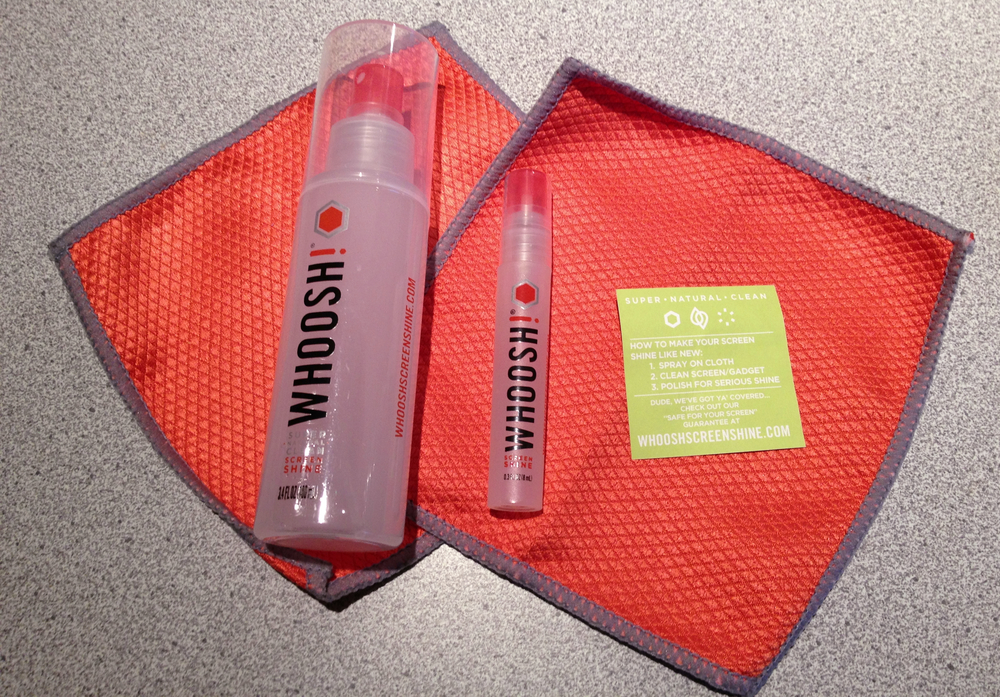
I tried it on various Dell monitors, an iPhones 4s and iPhone 5, a Google Nexus 4, a blackberry bold, a projection TV, my Dell and Apple laptops and it worked. It worked really well and was super easy. You simply spray a bit of the cleaner on the enclosed cloth and then wipe the dirt away.
To torture test the product, I dipped the tip of my finger in honey then rubbed my naked iPhone 4s screen. I waited 15 minutes and then started my test. I first tried the SideKick carbon cleaning pad from Lenspen and the honey grabbed the carbon particles and trapped them. Yuck
I then tried a generic house brand cleaning spray from Best Buy and it couldn't get the gunk off (plus it had a horribly strong smell).
Finally I sprayed a generous amount of Whoosh on a cloth, rubbed the screen with a circular motion and in less than a minute the screen was shiny and clean.
How is the Whoosh sold?
The Whoosh Screen Cleaner comes in 3 separate kits
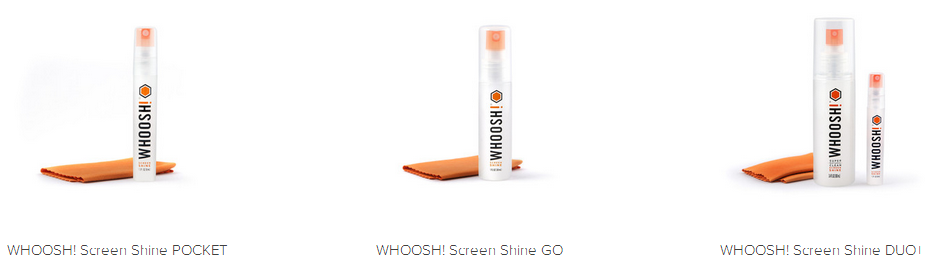
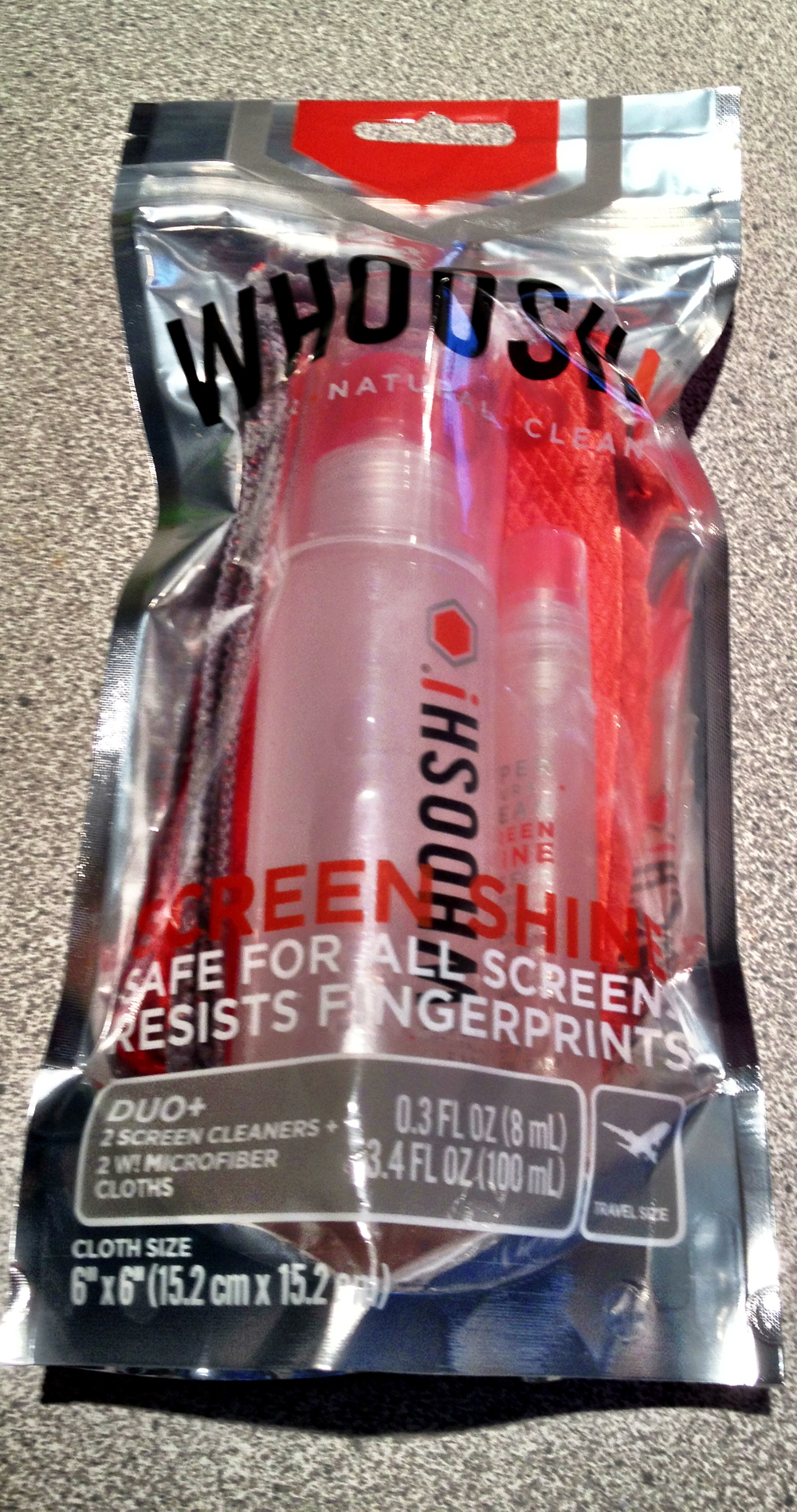
The Whoosh Screen Shine Pocket is a small 8ml pocket kit that comes with 1 cleaning cloth and is sized specifically to be travel compatible (aka it will be allowed on a plane by the TSA). This currently sells for $US5.
The Whoosh Shine Go is the big bottle and is great to keep around the house. It will be your main go to product to clean every electronic screen in your house (this is a 30ml kit and also comes with a cleaning cloth). This currently sells for $10.
The best kit and the one I recommend is the Whoosh Screen Shine Duo+. It comes with the Pocket size plus a massive 100ml bottle for the house or office & 2 cleaning cloths. This currently sells for $20.
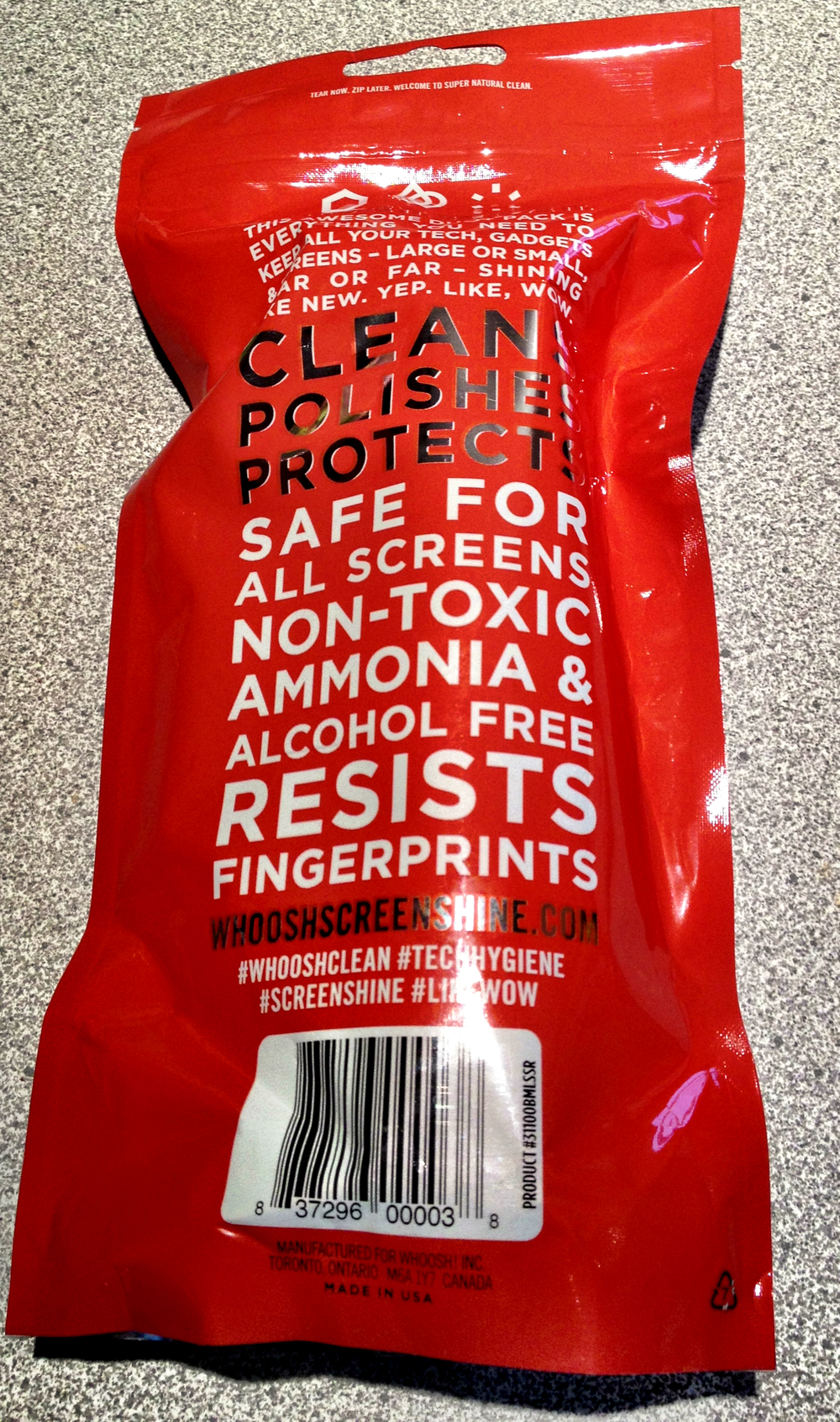
I love product packaging and really loved the way Whoosh packaged their product. It has a clean modern look with a beautifully resistant sales package and nice bold lettering & colours.
Verdict
I have spent hundreds of dollars testing various screen cleaning products and gizmos. None of them are as simple and effective as the Whoosh screen cleaner so obviously I highly recommend it.
I have seen tests that clearly show that the Whoosh significantly reduces pathogens on your smartphone so
not only are you physically cleaning the device by removing smudges and visible dirt, but you are also removing the invisible nasties that can make you sick