Windows8 TIP - List all of your applications
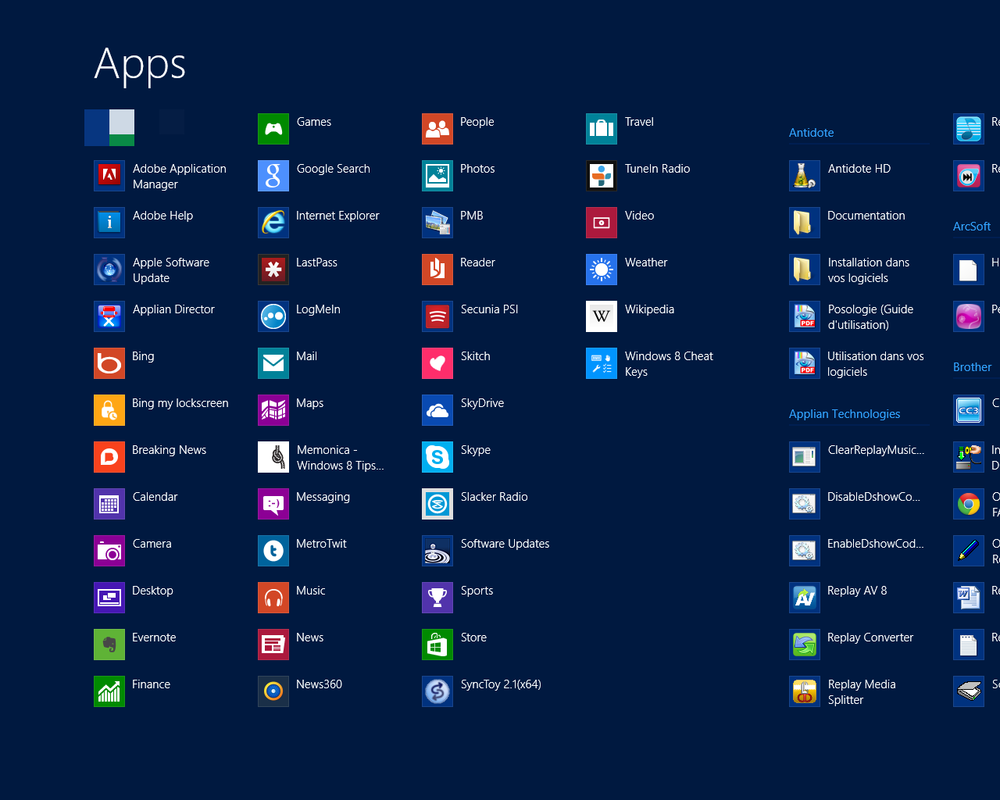
The new Start interface get's rid of the old (win 95 introduced) start menu we are all familiar with. The first question you may ask yourself after you upgrade is "How do I access all my non start menu applications?”
It's pretty simple; you can use the Windows Key + Q shortcut to bring up the app list. Another way to access this menu is to right click on an empty part of the start interface or swipe ip from the bottom on a touch screen device.
From here you can right click any app and pin it to the start menu (if you use it often).
How to uninstall apps from Windows 7 or Windows 8
Windows8 TIP - Quick Access Menu
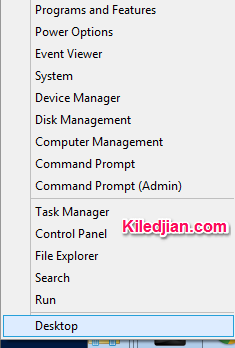
Move your mouse cursor to the bottom left hand corner of your screen or use the keyboard shortcut Windows key + X. This gives super quick access to useful tools like Device Manager, Disk Management, Command Prompt, Task Manager, Control Panel, File Explorer and Search.
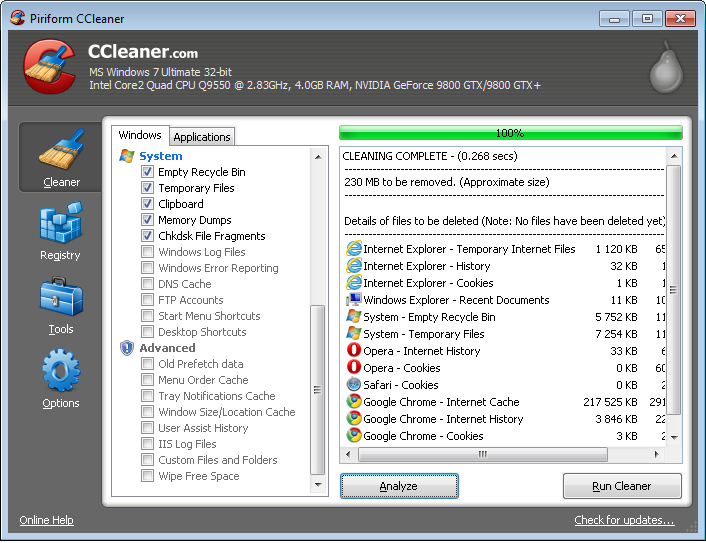
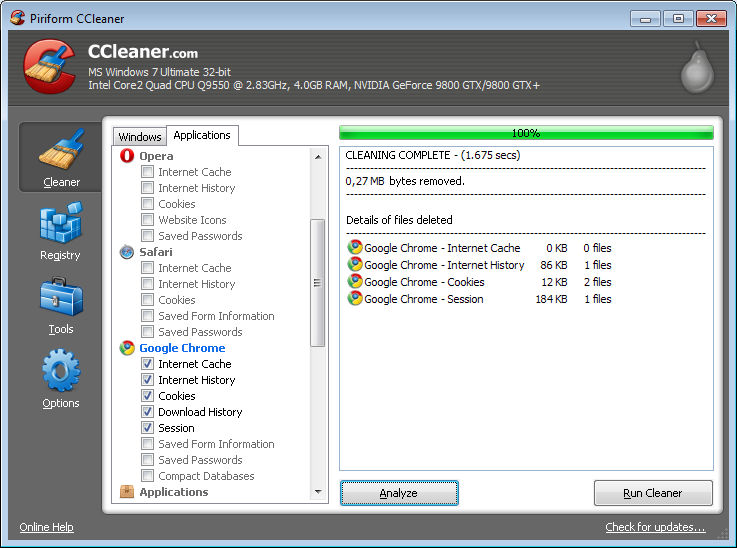
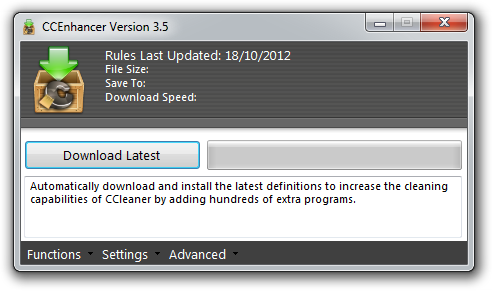
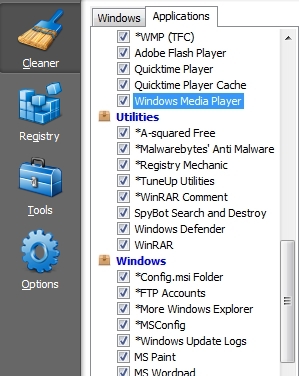
How to clean crap files from your Windows computer for FREE
Google's Transparency Report
Country data of Google Usage
In 2009, China blocked access to Youtube because it claimed an anti-China video was being hosted which purported to show China police beating Tibetan protesters.
Using Google's Transparency Report website, we can see this policy change graphically.
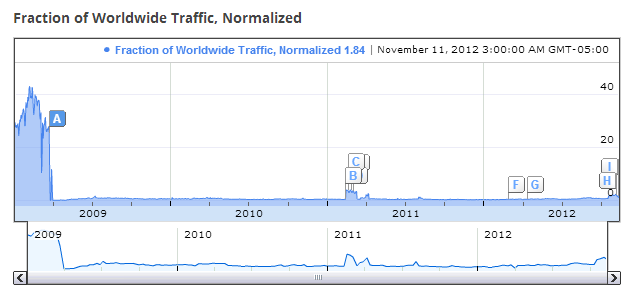
The A marks the spot the media believes this blocking was initiated, which jives with the data.
On November 9 2012, Bloomberg wrote an article claiming that China had blocked access to all Google Services. IF we look at the Google Transparency report website, we see that once again their claim seems be to founded.
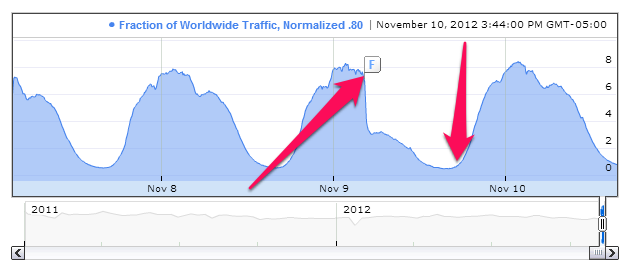
The data shows that demand for Google Services from China seems to have dropped quickly (compared to normal hourly usage patterns) but that access seems to have been restored the same day.
The peaks and valleys are normal usage patterns based on the time of day in China. A user is more likely to use the web during work and after supper than at 2am (local time).
Although China is a topic that sells papers, it is important to remember that other governments around the world also take this type of approach with material they can't control. As an example, Youtube has not been accessible from Pakistan since September 2012.
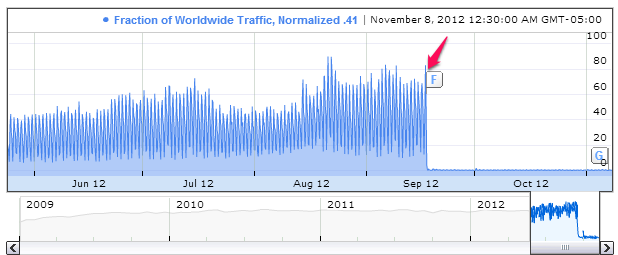
It is important to remember that some access cuts are physical events (such as an internet cable cut that prevented Georgia from accessing the internet and thus also Google in 2011).
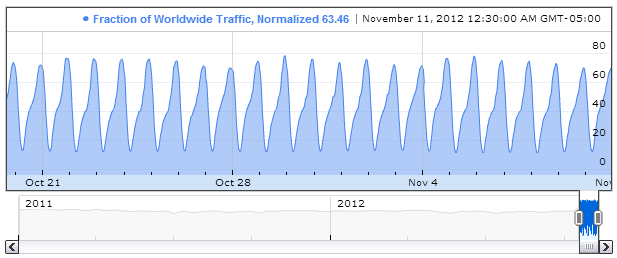
For reference purposes, here is what Canadian access to Google services looks like
Here is the graph of US access to Google
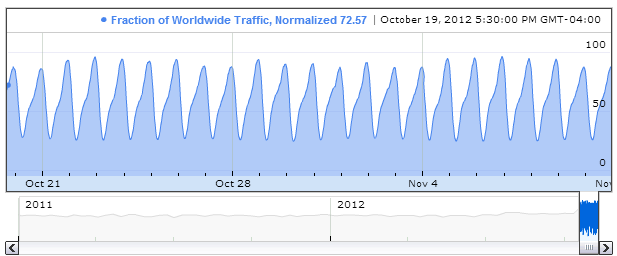
As you can see the usage patterns of Google services (a good proxy for total internet use) is almost identical from Canada or the US.
This is the United Kingdom (UK) usage pattern for Google during the same period.
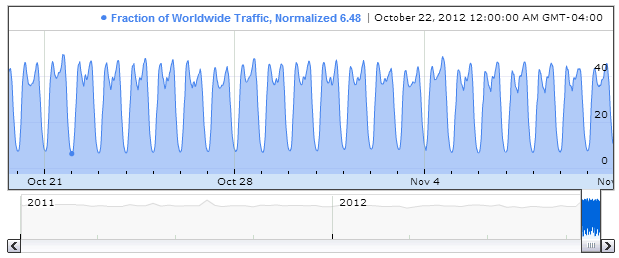
And here is the pattern from Germany.
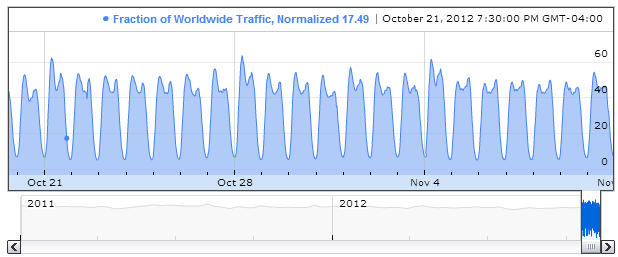
The UK and German patterns look very similar but are different from the Canada/US pattern. This pattern difference may be attributed to generally accepted social norms of when someone should use the internet. When comparing internet usage patterns for a country, with the hope of weeding out useful and interesting conclusions, make sure you choose a usage pattern standard that is actually close ( aka statistically significant).
And before believing statements made by any media outlet, validate the data they used and make sure you agree with their conclusions. Remember that DATA IS KING!
Read as much as you can then make your own conclusions.
Copyright removal requests
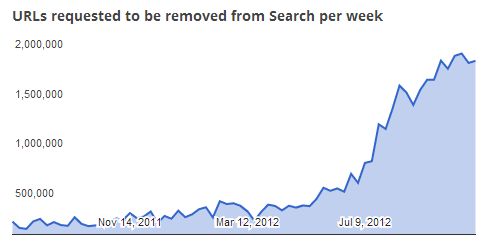 The volume of removal requests is growing exponentially and may be some cause for concern. These removal requests were based on copyright violation claims. The top 5 requestors are: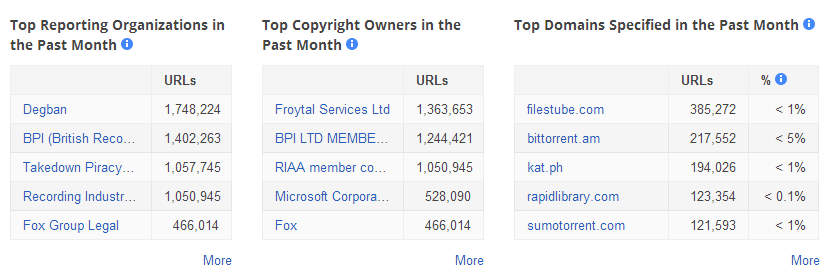
Some people have said the last column shows pirates where to go to find the pirated material they are looking for. Interestingly you can click on any of the hyperlinks (in blue) and it will provide more information about who they represent, what they are requesting removal of.
User Data Requests
Of all the data we have talked about, nothing is more interesting (to me) than this section. It shows how many requests Google has received from Governments for User Data. The statistics will shock you:
click on the image to make it bigger
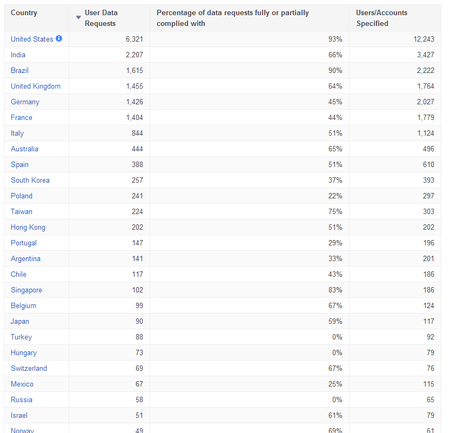
Google does highlight for the US that :
Government requests for user data from the United States include those issued by U.S. authorities on behalf of other governments pursuant to mutual legal assistance treaties and other diplomatic mechanisms.
I am happy to see Canada at the bottom of the list with only 41 requests for this period.
The way to read this data is as follows.
For the period of July to December 2011, Google received 6,321 requests from US government agencies representing 12,243 user accounts. After reviewing the requests, Google had to comply with 93% of those requests in some form (either full or partial disclosure).
Interestingly in most cases, I would venture to say that the users didn't even know their information was being disclosed. This is the conundrum of cloud services. They are affordable and easy to use but you also lose some control over your data.
Google has published updated data in their Transparency Report for the period of January to June 2012.
Same link just more data.
Enjoy
Is your account hacked? Find out now thanks to PwnedList
It seems like every day, we hear about another web service that was hacked and whose account information was stolen. Most internet users aren’t connected to the hacker underground and have no way of finding out if their account may have been leaked.
Enter PWNEDLIST, a free service that can tell you if your account information was disclosed as part of a hack. The site started in July 2011 and was the idea of Alen Puzic, a white-hat security researcher.
The brains behind the site scour the dark side of the web and collect leaked data to add to their collection (think millions of accounts). To protect your information, they use this collected data to create a unique string to identify your email address and delete everything else, this means that even is a hacker compromised their service, there isn’t any account information to steal.
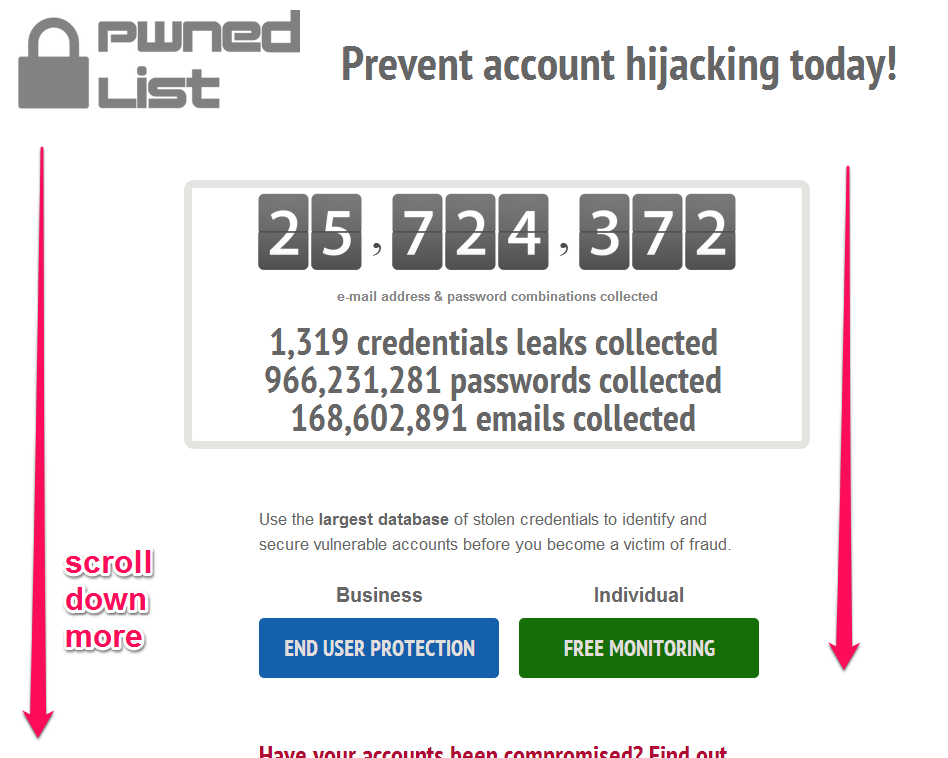
Step 1 Go to : http://pwnedlist.com/
Step 2 - Scroll down the page
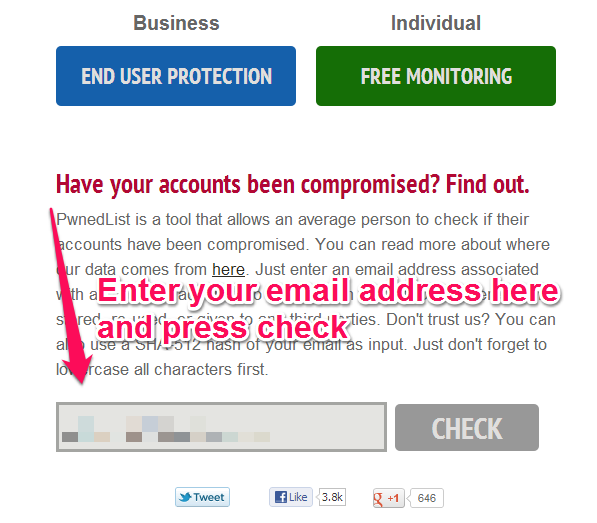
Step 3 Enter your email address
 Step 4 See the results and either breath a sigh or relief or start changing your passwords
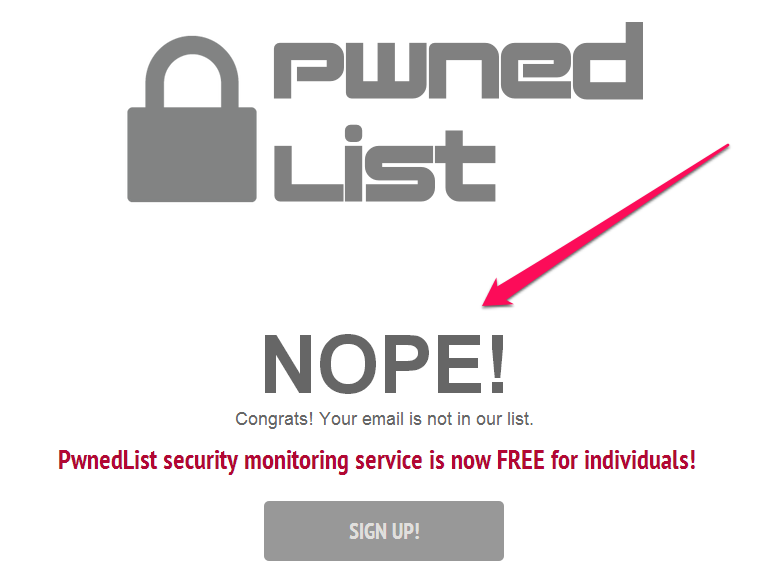
If you're unlucky, this is what you may see
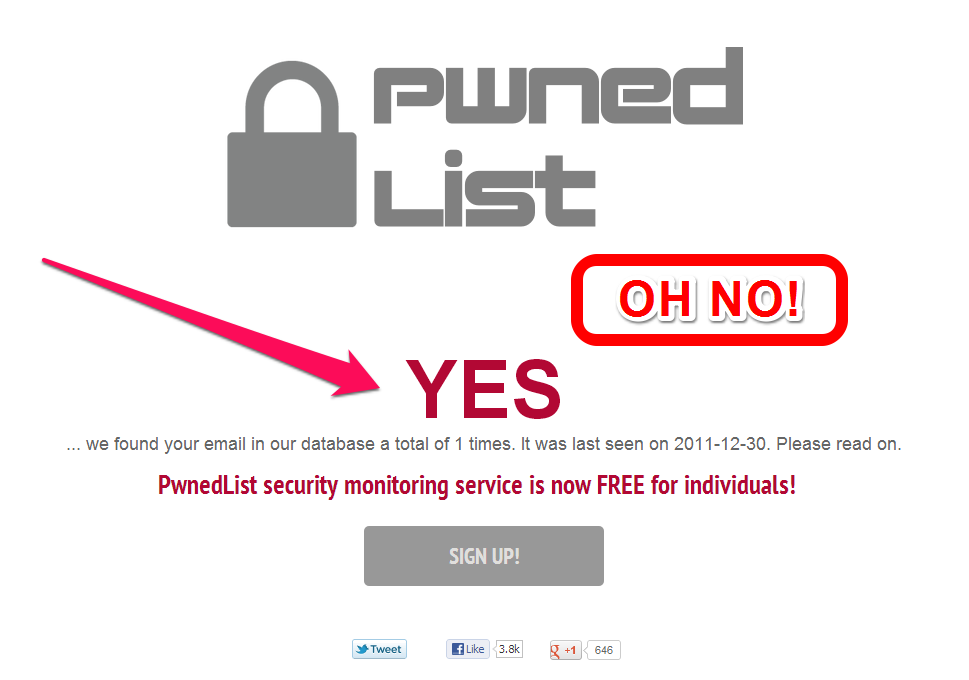
I didn't want to sign up for their continuous monitoring service but I created an IFTTT.com recipe to remind me to check the site monthly. You can use this recipe too by going here.
Sign up for the AppyFriday newsletter & get 6 free Mac Apps
AppyFriday has a promo now and is giving 6 free apps (worth $90) just for signing up to their newsletter.
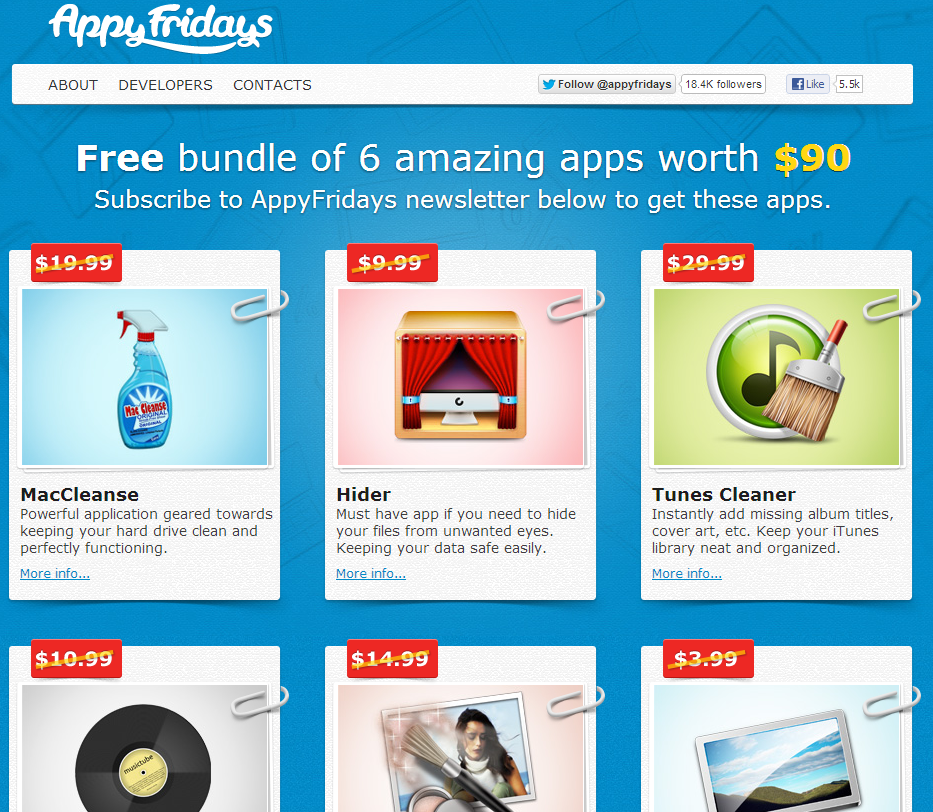
You get:
- MacCleanse
- Hider
- Tunes Cleaner
- MusicTube
- Picturesque
- Colorado Desktop
Best free antivirus for Windows 7
Microsoft's cool idea to market its new Live tile concept
Anyone using Windows 8, Windows 8 RT or Windows Phone 8 knows the cool new Microsoft designed concept of a Live tile. It is a tile that provides active information about the things that are important to you.
Microsoft created a Live Tile on the floor (middle of the road) that lit up when a person stepped on it. As soon as the person was completely on the tile, the walls of the nearby club fell down and everyone started dancing around that person.
Its one of those things that you just have to see. Creative idea Microsoft.
$50 refund on Nexus 7 16GB
Google recently killed off the 8GB Google Nexus 7 tablet and made the 16GB version the new minimum. Google is living up to its mantra of "Don't be evil" by offering a $50 rebate to customer who purchased a 16GB model via the Google Play store between October 14 - 25.
If you meet the eligibility requirements [eligibility requirements], you can use this page to request your Price Protection.
For those that are wondering, this is open to Canadian AND US residents.
Creative Thinking Tip #8 - Be silly and draw something
If you haven't read my other articles in the series, read them before continuing:
- Creative Thinking Tip #1 - Take The Day Off
- Creative Thinking Tip #2 - Make A Friend
- Creative Thinking Tip #3 - Small Is The New Big
- Creative Thinking Tip #4 - Learn To Mediate
- Creative Thinking Tip #5 - Daydreaming Your Way To Creativity
- Creative Thinking Tip #6 - But What If You Could
- Creative Thinking Tip #7 - Disprove The Assumptions
TIP #8 BE SILLY AND DRAW SOMETHING
Creativity encourages creativity. If you are stuck and need a breakthrough idea then you may find this playful approach fun. Grab the biggest sheet of white paper you can find (no lines) and using the darkest pen you can find, start drawing something. It doesn’t matter if you draw stick figures or a replica of the Mona Lisa, the important is to do something creative for at least 10 minutes. Once your 10 minutes are up, take a 10 minute break and them come back and tackle your issue again. Your creative brain will help you find new and creative ways to solve your dilemma.
Could there be Salmonella in your Nesquik powder?

When will Lark Life be available in stores?
If you haven't read my article about Lark Life, go read it now. Based on the literature, I think I may like this more than the Fitbit Ultra/One or the Nike Fuelband.
I havent seen or played with the device yet but many of you have asked me for a street date (aka when it will be available for sale). I have spoken to their PR agent and unfortunatly they aren't providing a firm date so we'll just have to wait.
As soon as it is available, I will use it and report back to you my readers ;-)
Stay tuned...
Creative Thinking Tip #7 - Disprove the assumptions
If you haven't read my other articles in the series, read them before continuing:
- Creative Thinking Tip #1 - Take The Day Off
- Creative Thinking Tip #2 - Make A Friend
- Creative Thinking Tip #3 - Small Is The New Big
- Creative Thinking Tip #4 - Learn To Mediate
- Creative Thinking Tip #5 - Daydreaming Your Way To Creativity
- Creative Thinking Tip #6 - But What If You Could
TIP #7 DISPROVE THE ASSUMPTIONS
When using creativity to solve a problem, this tip may come in handy. Typically I like to perform this activity on a big whiteboard.
Use a standard black marker and for 10 minutes, write down all of the assumptions you have about the problem. Don’t judge or belittle anything. Whatever assumption comes to mind write it down. Once your 10 minutes are up, go outside and take a 10 minute break.
Then come back and try to find one assumption you can disprove. Then take stock of the situation and see if new ideas bubble up. If your still stuck, take another assumption and ring it through the same process. After doing 5-6 of these, if you are still stuck, take another break then come back and continue.
Normally after about 3-4 assumptions, you will experience some kind of breakthrough thinking.
Employees mistreating iPads at Walmart?
Watch the video and make your own conclusions.
Review of the iphone NightCap app
“The best camera is the one that you have with you. “ I really embraced this statement about 6 months ago when I really got into iPhoneography. One issue I quickly ran into was bad images in low light, enter NightCap. It is a small iphone camera app that uses longer exposure times (compared to the default iPhone camera app) which results in clearer and brighter photos. The developer claims NightCap can capture 20x more light than the built in camera app. Using the app is as easy as pressing the image button.
Before testing the app, I thought it was just a glorified photo filter program which was going to create crappy photos but I was really surprised. As long as the iPhone is kept stable, the photos it produces are actually surprisingly usable. I found that I got the best results when I used the app with my Joby GripTight
Features (from the developer)
- Automatic or Manual: NightCap works fully automatically when you want speed or simplicity. Automatic but with night mode when you need it. If you want control, class-leading focus, exposure and white balance control is available including true manual exposure in low light.
- Extended Exposure Range: In low light it uses much longer exposure times (up to 15x!) than other apps giving brighter, clearer photos. This is real long exposure not a fake software effect.
- Powerful and Intuitive Camera Control: All the flexibility of separate focus, exposure and white balance targeting and locking, none of the hassle. Just point where you want to focus and tap the focus button to lock. Point elsewhere, lock exposure. Full control, fast and easy operation.
- On-screen exposure and ISO display
- Self-Timer: Whether you’re taking a group photo and want to be in the shot or you’re taking a long exposure shot and want to avoid camera shake, the built in timer with adjustable delay is there for you.
- Full resolution support on every device, photos saved instantly to the Camera Roll.
- Left or right handed operation.
- Full EXIF support and geo-tagging.
Here are 2 pictures I have taken.
Picture taken with iPhone 4S (IOS 6.01) built in camera app:

Picture taken with iPhone 4S (IOS 6.01) NightCap automatic settings.

These pictures haven't been retouched or edited in any way. The results are remarkable.
This won't replace your DSLR but it provides a quick always with you alternative.
Remember that the camera was sitting on a Joby stand so that no hand vibrations were introduced. Also this works good with static non moving scenes.
Some Twitter accounts hacked. Time to change your password!
It seems some Twitter accounts may have been hacked. A quick search on Twitter reveals an interesting number of people complaining about issues with their account or tweets being sent from their account without their knowledge.
No official statement has been made by Twitter but it may be a good time to change your password and revoke Twitter access from unused third party apps. If you don’t know how, read my article here.
Joby GripTight GorillaPod Stand for iphone or Android smartphones
If you haven't read my review of the Joby GorillaMobile for iPhone 4 then go ahead and take a quick look here.
Eversince I discovered the concept of iphoneography, I fell in love. The idea of using your smartphone, the only device that is always with you, to capture the important moments in life is fantastic. First I chose my iPhone camera apps, 645 PRO and Camera+. Then I downloaded iPhoto, Perfectly Clear and SnapSeed to retouch my images. To get tack sharp images, there was one more element missing…. A tripod. There is no way you’re going to carry a full size tripod with you so the next best thing is a mini tripod you slip into a pocket and use anywhere for clean, crisp, shark pictures.
Why I love Joby products
Before buying my first Joby, I bought a bunch of much cheaper imitations from eBay. After a couple of uses, these cheap replicas broke down, became wobbly or wouldn't grip my iphone anymore. Did I really want to risk cracking my iPhone screen? Of course not, so I bought a Joby and realized how much better their products are. I have thrown their products in laptop bags, luggage, my Scottevest jackets and have never been let down by the durability.
Why I love the new GripTight GorillaPod
Until now, most of their products required me to use a dinky plastic bumper case so in most situations, I use to connect my Glif to their tripod. One problem this caused was that I had to remove my battery or Otterbox case every time I wanted to take a picture and this was just annoying. Not anymore!
The new GripTight has a smartphone independent grip system that works on most smartphone with or without a case.
Here you can see it holding an iPhone 4 with a LifeProof case
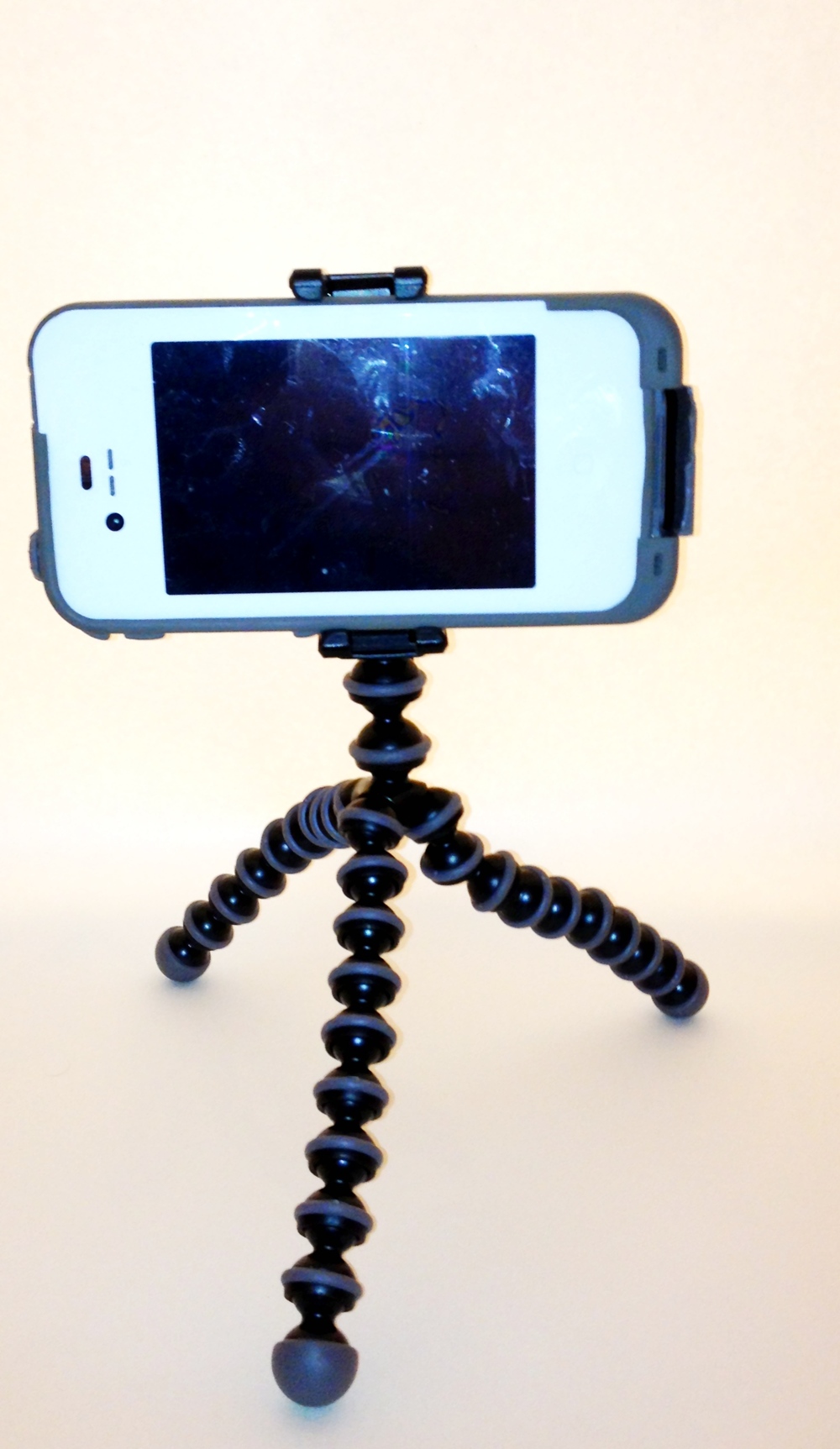
As you can see, the grip arm is adjustable and spring mounted so it works for a naked phone or one with a case. I tested it with an iPhone 4s with a Lifeproof case, Phonesuit battery case, Mophie Juice Pack Air, Otterbox defender and it held wonderfully in every situation.
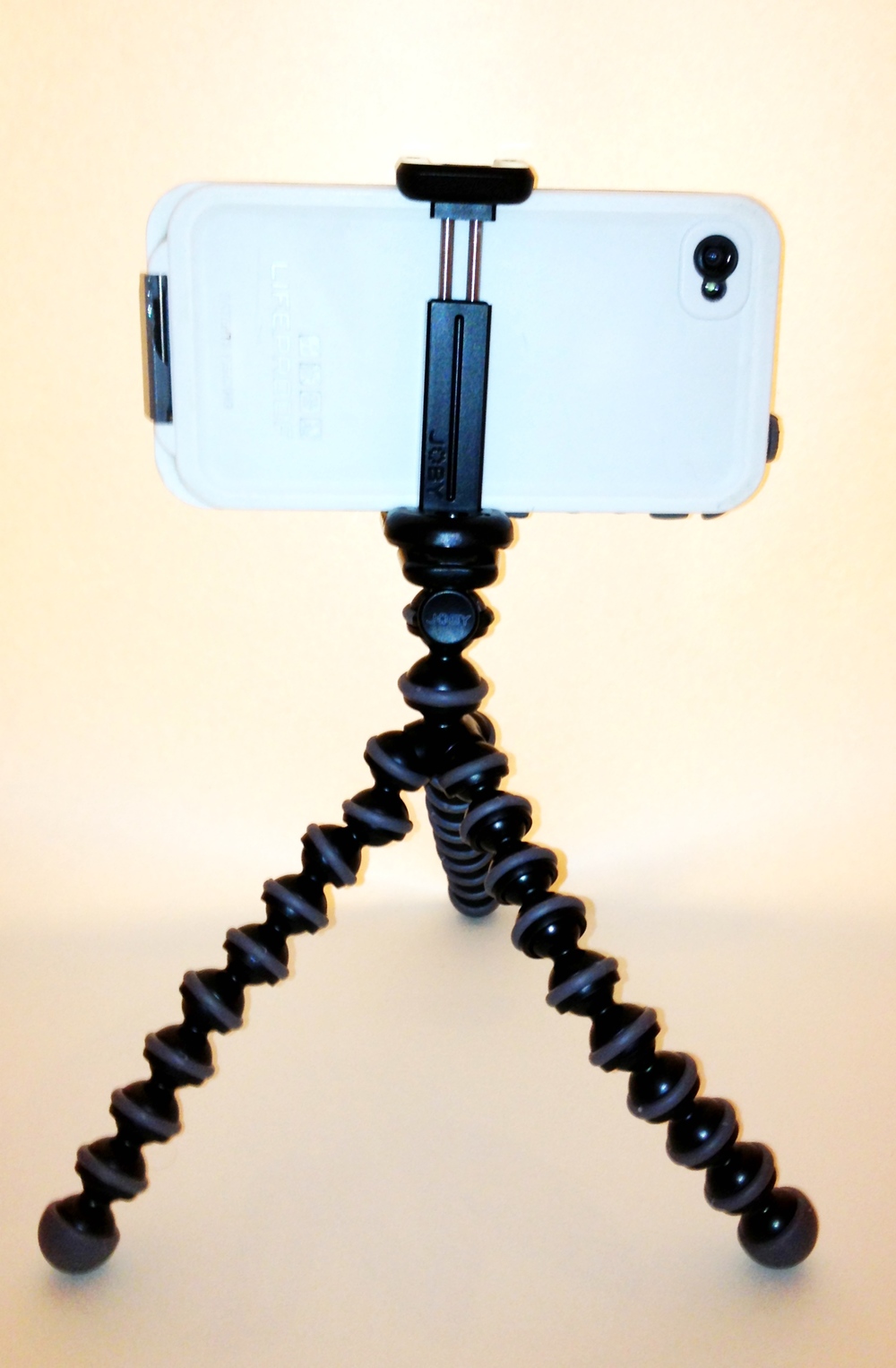
The Grip
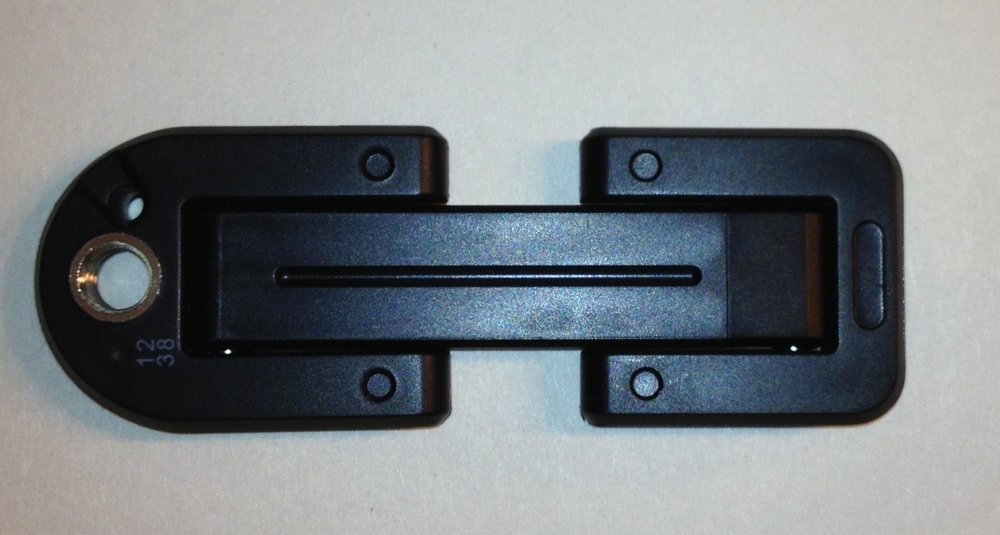
The grip mechanism is wonderful. First thing I like is that it folds completely flat which make carrying this thing very easy.
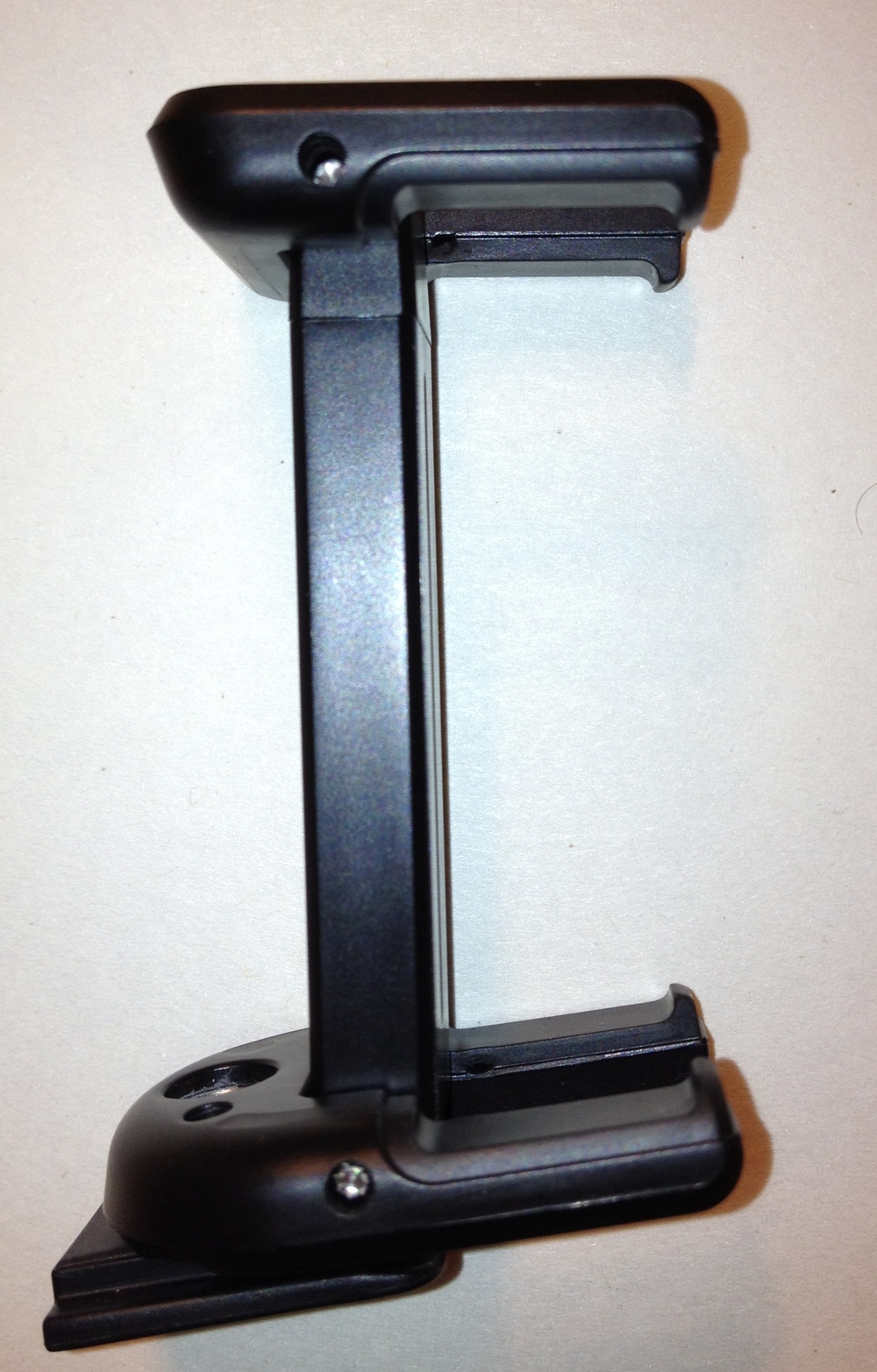
With this side picture, you can see the little rubber pads which hold the phone snugly and the little fingers that make sure your phone never falls out. As you extend the grip to hold your phone, you notice there is enough tension to hold the phone in place but not enough to damage the side of your device (even if your device is made of soft plastic.)
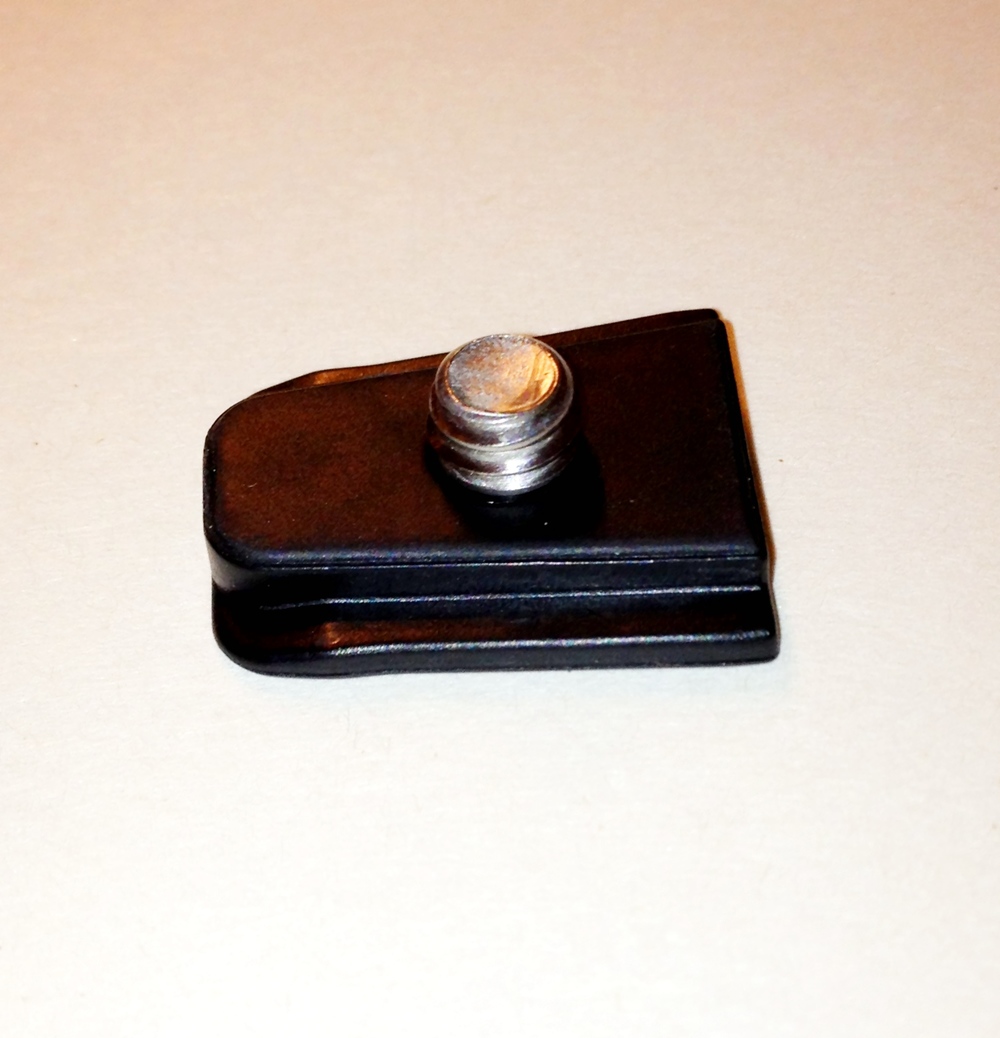
You attach the Grip to the legs using the provided screw mechanism. I tested this piece with the Glif and it also works perfectly (aka its a standard mount size).
To ensure the grip isn't mistakenly released from the legs, the designers at Joby even built a locking mechanism into the leg piece. You simple turn the little rubber ring and it locks the grip mechanism in place.

The Box
There isn't anything special about the box. It is clean and to the point.
The front
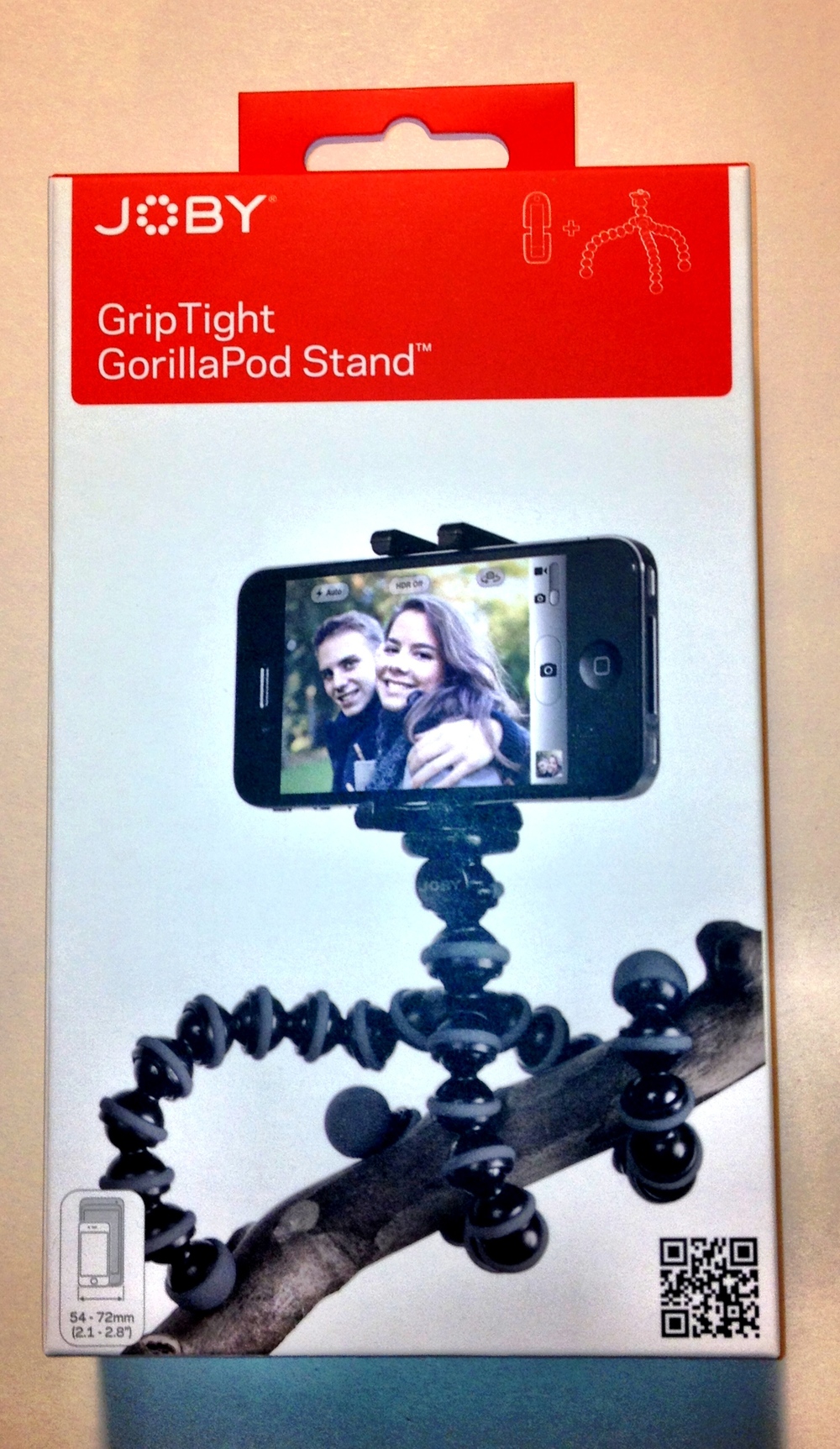
The back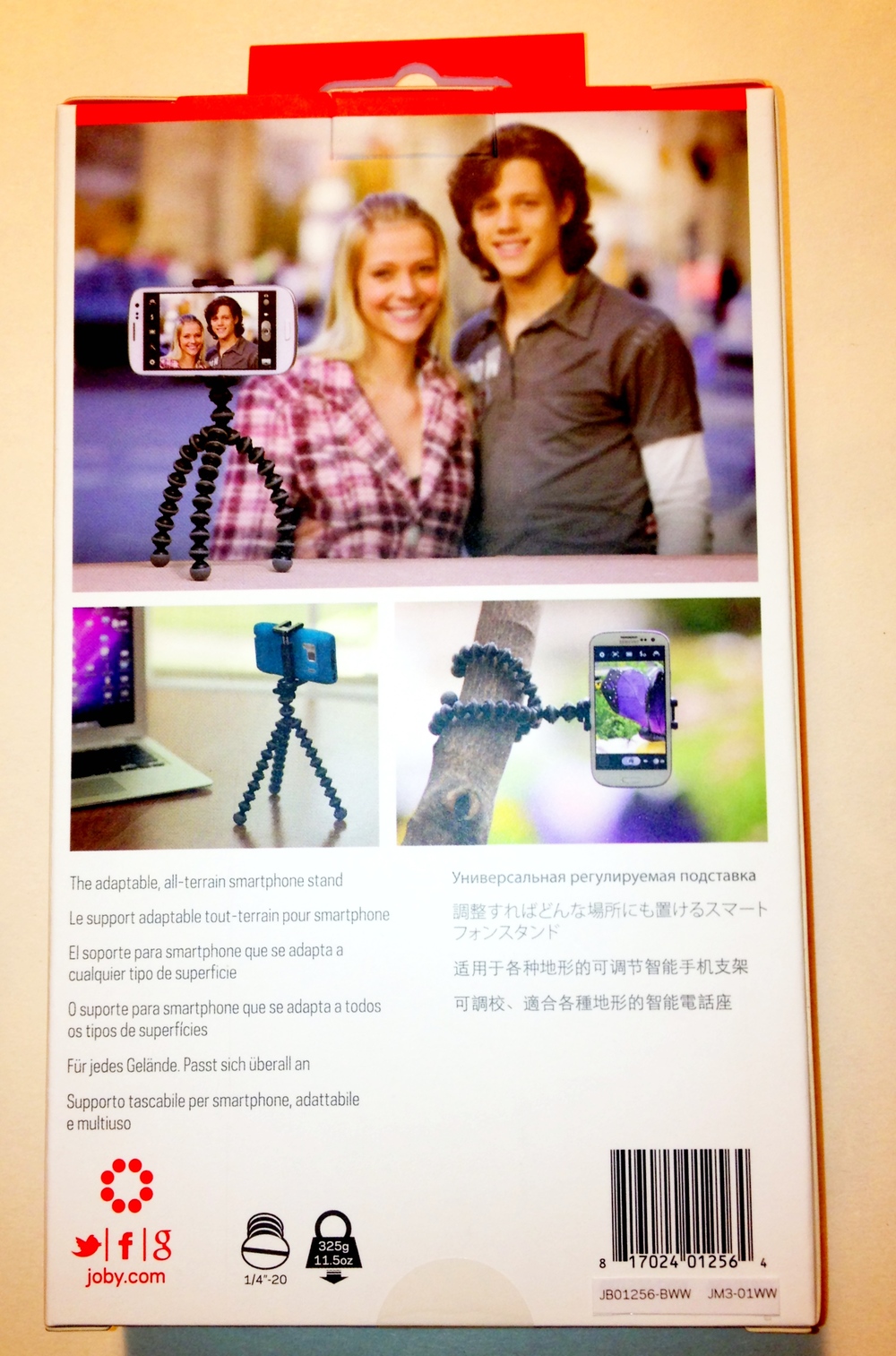
Presentation of the contents
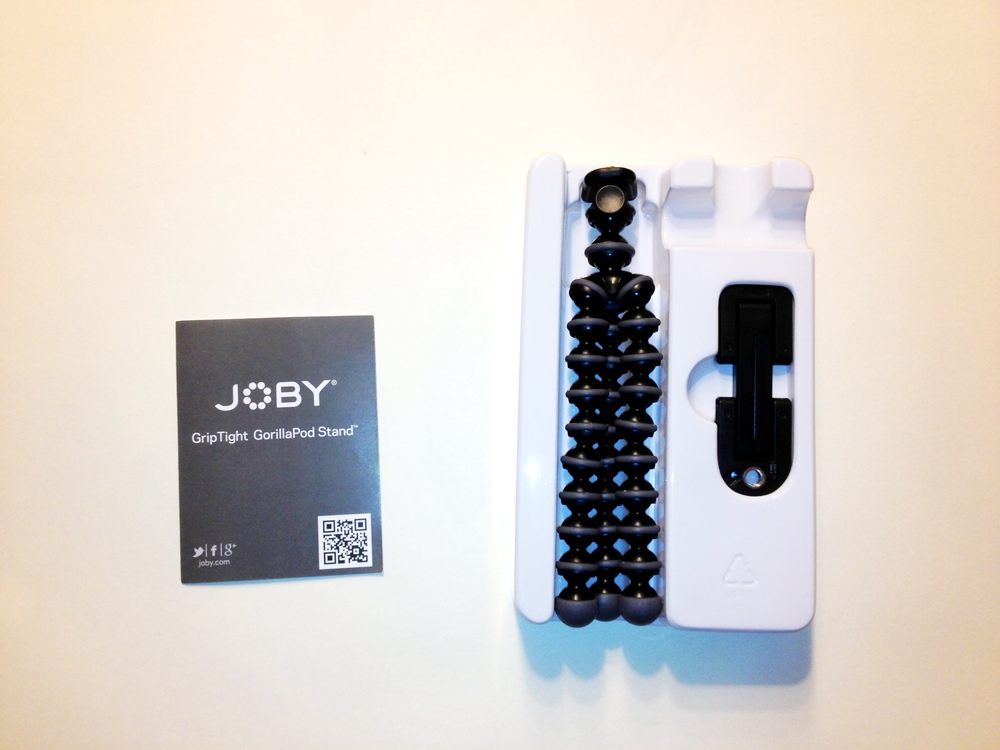
Conclusion
I didn't write about the legs but they are the standard multi joint legs you have come to expect from Joby. They are tensioned just right : easy to place them in the exact position but solid enough so they won't move on their own.
I love the quality of the product and the fact that I can use it with my current smartphone and whatever model I buy in a year or two (I even used it with a Canon S100 point & Shoot). The GripTight is a solid product that will provide years of service, even if you abuse it a bit. I give it two thumbs up and recommend you buy one.
Skydrive for Windows Phone 8 now available
WPCentral is reporting that Skydrive for Windows Phone 8 devices is now available.
If you use a Windows 8 tablet, PC or smartphone then you know the benefits of trying everything together via SkyDrive. Strangely enough, the Windows Phone 8 app wasn’t available until now. As a version 3 level app, it supports
- New settings for photo upload and download size
- Support for Windows Phone 8
- Updated app icons and visuals
The app is said to be faster and overall a much better experience.
Download the app here.
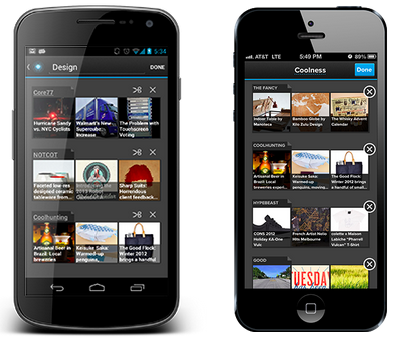
Pulse releases version 3.0 for iOS
I have been using Pulse to read my news on my iPhone since it came out and love it. I was excited when they released their version 3.0 update today for iPhone and Android.
Pulse 3 was able to maintain everything I have come to love about it and improved on the other features:
- Unlimited pages
- Universal app (works on tablet and phones)
- Infinite scrolling
I like the new navigation sidebar they added (think Facebook). Adding (or searching for content) is now even easier. Overall a great product you should update or download.